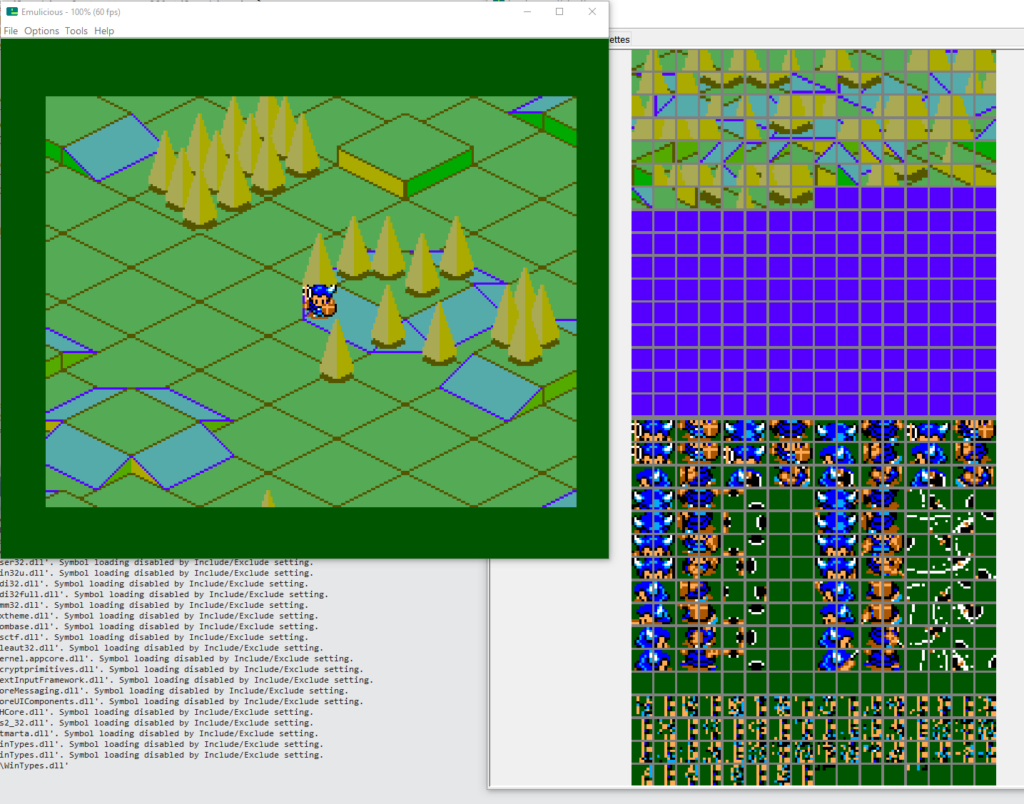
Today I used GSLib’s UGT to export a new background and integrated it into my project. Baby steps!
At first UGT couldn’t run. The version of the tool packed in the original GSLib release uses JavaFX, which isn’t included in recent releases of Java. Fortunately there’s a fixed version by thatawesomeguy on smspower that uses Java Swing. Its GitHub page is found here. It worked out of the box and that’s the version I’m using. It also has a handy export all feature so you don’t have to export all the parts manually.
After I got that settled, I generated a large map, exported binary data from the tool, converted the data to banks and imported it into the project. When I ran it the first time I thought it wasn’t working correctly.
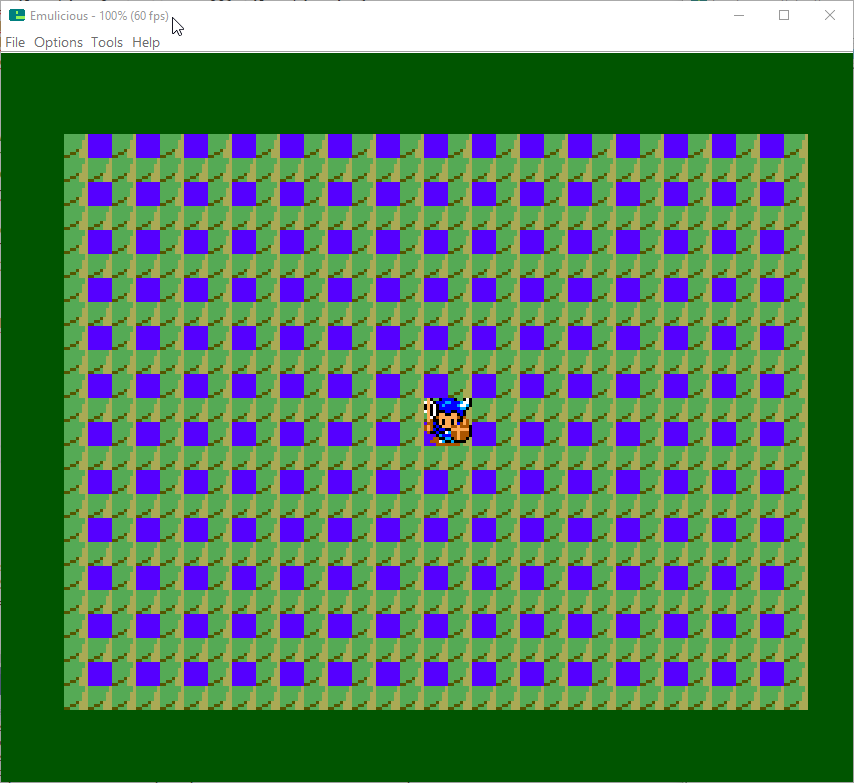
But it turns out I was trying to draw an area outside of the map I made. Whoops! The original demo map was 1024 x 1024 pixels and my test was about a quarter of the size. The game was originally configured to start from the bottom right corner and the new map didn’t have any data in that area. So it was using random yet repeating data from somewhere.

Now that I got that to work, I should try a bigger map! Let me try that right quick.
[…time passes…]
Does it work? The answer is… maybe. I tried a 2048 x 1152 map. The UGT export worked fine but converting to binary with devkitsms‘ assets2banks.exe tool gave me multiple banks of 16k data and I wasn’t ready to start messing around with managing multiple banks yet. Created a 1088 x 1152 map which fit into one bank and that ran successfully.
“Successfully” in the sense that yes the game ran, but it doesn’t actually scroll yet. The new map data doesn’t have the terrain collision setup for the player to walk on. Right now, everything is a solid impassible block.
Fixing that will be for next time.
Ps: You know, I think what’s likely is that the maximum size of the map is whatever that can fit into a 16k bank.
Pss: Hmm, I wonder if the maps can be compressed.
(*)
Leave a Reply