This article is part of a series exploring the reverse engineered inner workings of Downland, a game for the Tandy Color Computer, released in 1983, written by Michael Aichlmayr.
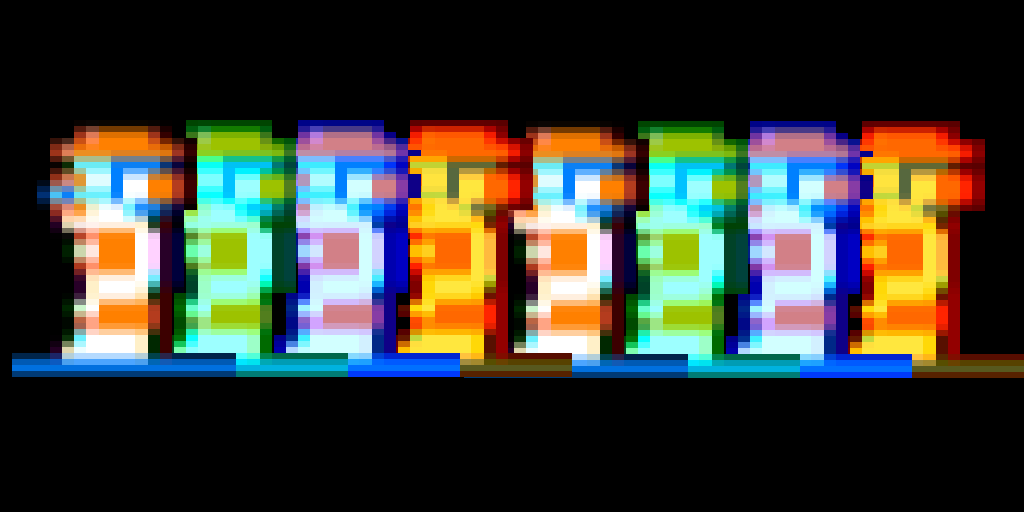
In the previous post I talked about how Downland’s 1-bit graphics are setup to take advantage of CRT artifacts to generate colors. In this article I talk about how Downland draws its sprites to the screen.
Sprite Hardware? What Sprite Hardware?
The Tandy Color Computer doesn’t have built-in sprite hardware like the Atari 400 or the Commodore 64, where the programmer can just set a few registers and sprites are conveniently placed on the screen. For the CoCo, drawing sprites requires directly manipulating the memory that is used for the screen.
Screen Memory
What the player sees as graphics is represented by a specific region in the CoCo’s RAM. Turning on bits in that region of memory will activate the corresponding pixels on the screen.
Writer’s Block
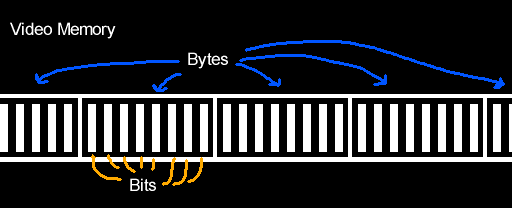
One problem with working with Downland’s 1-bit graphics is that you can’t directly address the bit/pixel you want to turn on. 8-bit CPUs like the Tandy Color Computer’s 6809 can only write to memory one byte (eight bits) at a time at the minimum. They can’t write individual bits. So for any changes you want to make to screen memory you have to do it in bytes.
Another limitation is you can’t write that byte anywhere. It has to be written along byte boundaries. This means you can only write a byte at every eight bits (0, 8, 16, etc). You can’t write a byte at bit 3 and expect it to change bits 3 to 10.
Sprite Basics
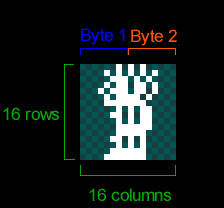
Because the screen is 1-bit, Downland’s sprites are naturally 1-bit as well, as seen on the player sprite below. Each frame of the player sprite is 16 pixels wide and 16 pixels tall. As the graphics are 1-bit, the 16 pixels for each row of the sprite take two bytes. The first byte of each row contains the front of the player sprite while the second byte contains the back.
8-Bit Drawing Limitations
Because the CPU can only write 8 bits at a time, if you wanted to draw the sprite as-is to the screen you could only do it on byte boundaries. The result is the sprites appear at every 8th pixel on the screen horizontally.
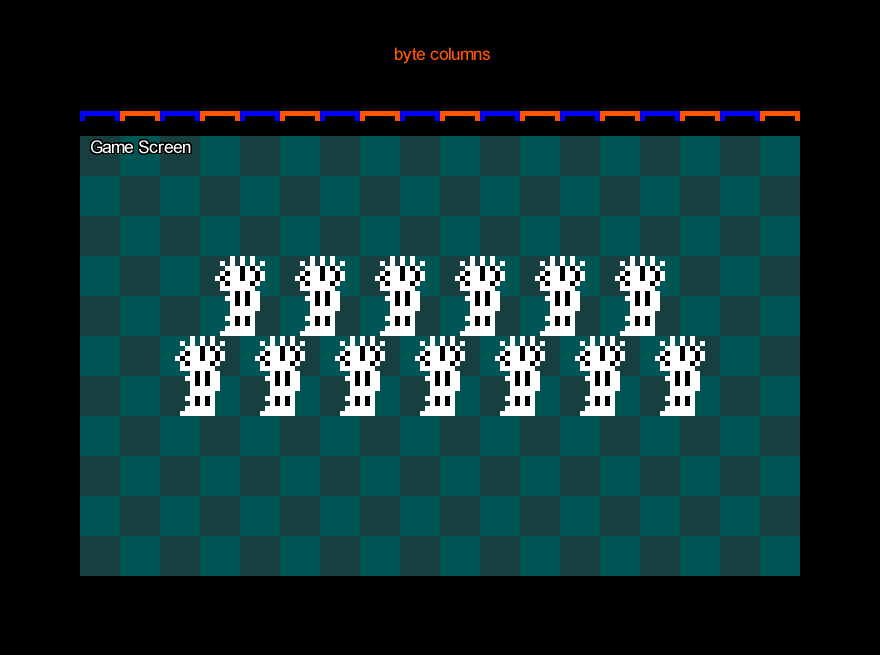
Note that the sprite can be placed anywhere vertically. There’s no limit there.
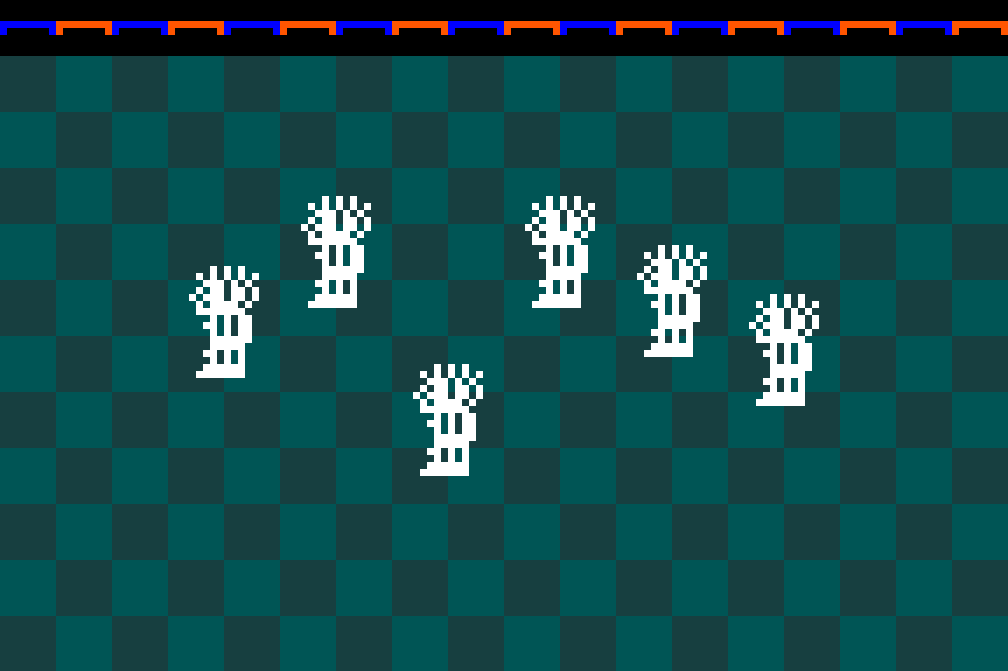
Still, this is obviously very limiting for a platforming game like Downland which has objects going across the screen.
Shifted Sprites
The trick Downland uses to draw sprites along the horizontal axis is by copying the original sprite and creating new versions that are shifted to the right by a certain number of bits. These are called shifted sprites or bit-shifted sprites.
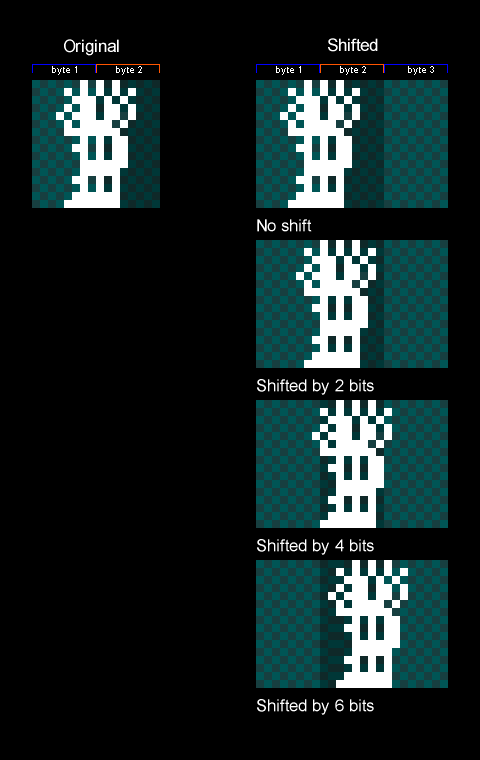
Things to note:
- In the game the sprites are shifted by two bits (aka pixels) instead of one because while the screen resolution is 256 pixels across, the game logic is actually half at 128. So for every X position in the game’s coordinate system, objects are drawn at twice that. Therefore it only needs shifted sprites for even-numbered positions.
- It also shifts by two bits to maintain the CRT artifacting effect.
- Because we only need shifted sprites for the even positions along the byte, only four shifted sprites are needed for each sprite.
- Shifted sprites go past the second byte so they now need take up three bytes for every row.
- There’s no version of the sprite for being shifted by 8 bits or more because at that moment you can just use the first shifted sprite again. It wraps around.
Drawing Shifted Sprites
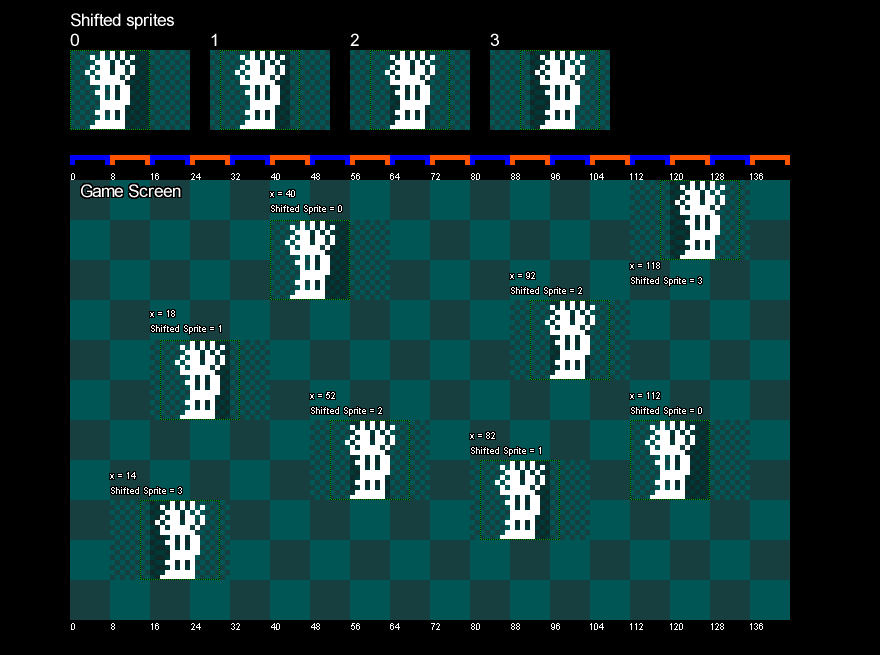
The game uses the sprite’s X position to determine which shifted sprite to draw. The game takes the lower two bits of the object’s X position, which gives a value that goes from 0 to 3. It uses that value to look up which shifted sprite to draw. Zero uses the first shifted sprite, 1 uses the second, 2 uses the third, and 3 uses the fourth.
The image below shows bit shifted sprites being drawn on screen with different X values.
Memory Usage
Shifted sprites are generated when the game is turned on and are stored in memory.
As there are four shifted versions of every sprite of every object, it can take up a fair bit of memory. For example, the player’s ten frames of animation take up:
10 frames x
4 shifted versions x
3 bytes per row x
16 rows:
1920 bytes

With the game taking 6k bytes for the screen, and another 6k for a clean version of the background, it really starts to impact the 16k of the original Tandy Color Computer. But everything fits.
Which Sprites?
Shifted sprites are generated for the player, the ball, and the bird sprites. The ball and bird sprites each have two frames of animation.
Exceptions
The drops, the splat sprite, and the door have their own particularities when it comes to drawing them shifted.
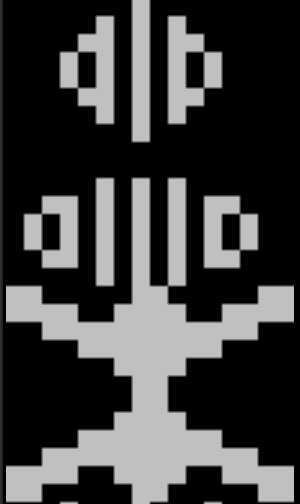
The drops are actually pre-shifted in the ROM, as seen here:
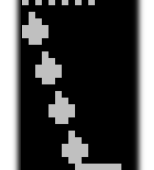
Side thought: I wonder if the drops were the sprites Mr. Aichlmayr made first and then immediately realized that storing shifted versions of all the other game objects was going to take a lot of ROM space and changed strategy. Or the change in strategy came at the end of development trying to reduce the game’s final ROM size.
For the splat sprite, it’s the only one in the game that’s 24 pixels wide.

Unlike the other sprites above, where the shifted versions are pre-drawn, drawing the shifted splat sprite is done on the fly. When the player gets squashed the splat sprite is drawn shifted into a temporary offscreen buffer. The buffer is 32 bits (4 bytes) wide so that the shifted sprite can fit. Then the offscreen buffer containing the shifted splat sprite is drawn to the screen.
Fun fact: the splat has a two frame animation when the player dies but there’s no second frame stored anywhere in rom. To achieve the animation, the splat sprite is first drawn to the screen and some time later the top part is erased directly from the screen’s memory.
The door is also drawn on the fly, using the same technique as the splat sprite.
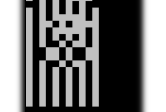
It’s drawn when a door gets activated and also as part of the background drawing when the player enters a chamber.
Pickups
Finally, the game treasures (key, diamond, money bag) are the simplest drawn objects in the game. They don’t use shifted sprites at all as they’re always drawn at a multiple of 8 pixels.
Wrapping Up
Lacking dedicated hardware support, shifted sprites is a commonly used technique for Tandy Color Computer games to draw objects on the screen. It lets sprites to be placed anywhere on the horizontal axis at the expense of memory. Downland uses the technique in various ways to draw its game objects. In the next article, I’ll talk about how the background graphics are drawn.
Leave a Reply