This article is part of a series exploring the reverse engineered inner workings of Downland, a game for the Tandy Color Computer, released in 1983, written by Michael Aichlmayr.
Touching any moving object is lethal. This is the unforgiving reality for anyone daring to traverse the underground realm of Downland. Let’s take a look at how the game detects whether the player should be killed by acid drops, boulder-balls, or killer bat-birds.
Two-Step
For collision checks against the player, the game performs two actions: a per-pixel check, and then a bounding boxes check.
Player Per-Pixel Check (Simplified Version)
The first step in collision checking is to detect whether a pixel of an object has overlapped the player sprite.
Last time, I talked about how the game works with two buffers, the frame buffer and the clean buffer. The frame buffer is where the game draws its graphics meant to be shown to the screen while the clean buffer contains the level graphics without any objects. Both buffers are used again here.
The collision check works by comparing the pixels of the player in the frame buffer with the pixels of the player sprite drawn on top of the clean buffer. Any differences found means that something is overlapping the player and must be handled.
The game builds a “collision buffer” by combining the player sprite with the clean buffer where the player is located.
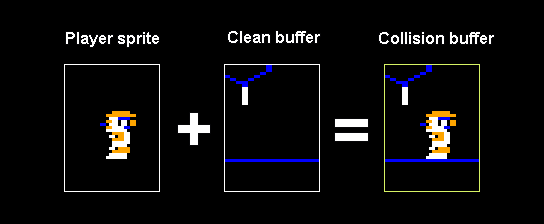
And then it compares the contents of the collision buffer with the same area in the frame buffer the player is at. Any difference in the player’s sprite’s pixels means that the player has collided with something.
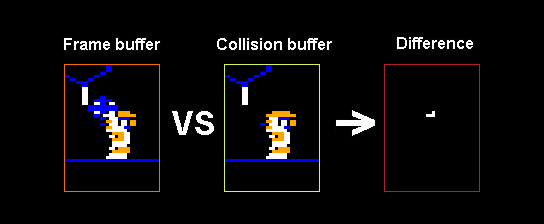
If no difference is found, the player goes on their merry way. If a difference has been detected, then a second check using bounding boxes is performed.
Bounding Boxes Check
To determine which object the player has actually touched, the game compares the player’s bounding box with every object in the scene. Here’s every game object’s bounding box.
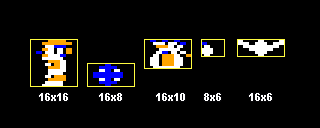
The values displayed above are in screen space but the actual bounding boxes are in game space, which is half the horizontal resolution.
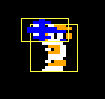
The enemy bounding boxes seem unusually wide, but by the time the game compares these the player is already touching something.
The bounding box checks are done in order of:
- pickups
- drops
- the ball
- the bird.
If there’s a collision with one it skips the others. The order makes it so if the player touches a pickup and an enemy at the exact same time, they won’t be killed.
At this point the game knows everything about the collision so it’ll either give the player an unfairly computed score or simply kill them.
But I haven’t been completely honest with you.
Player Per-Pixel Check (Actual Version)
The simplified version I explained above is basically a bunch of lies. In reality, the per-pixel check is much more complicated. One might say over-complicated.
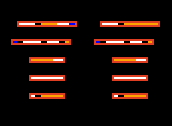
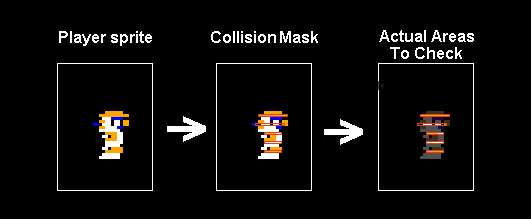
First, for every frame of player animation, there is a corresponding collision mask. The collision mask marks strips across the player sprite that need to be checked for overlapping pixels
Second, it takes the pixels covered by the collision mask and blends them to the corresponding pixels on the clean buffer.
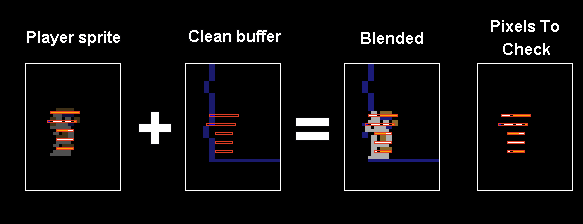
Third, it takes the same areas on the framebuffer covered by the collision mask.
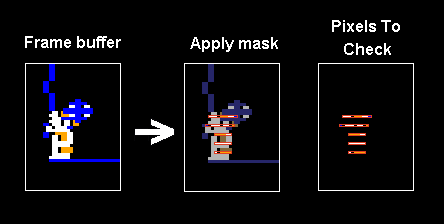
Finally, it compares the pixels taken from the blended clean buffer and the pixels taken from the frame buffer. If there are any differences, then a collision has occurred.
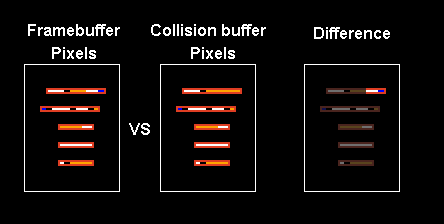
The advantage of this method is the constant time it takes to perform the checks. With the bounding box technique, the number of objects to compare against changes and the time it takes to do all the comparison isn’t consistent. As the bounding box method is likely more expensive, then it only gets used when we know there’s been a collision.
The Problem With Diamonds
The method of detecting overlapping pixels works well enough for most game objects, but it doesn’t work as well for the diamond. This is because it has the same color as the player’s hat which means in certain situations, collisions aren’t always detected when the player tries to pick it up.
When jumping, the collision will only register once the diamond touches the second collision mask strip. The first strip is all orange. So if you ever noticed jumping through the diamond when you expected to pick it up, that’s why.
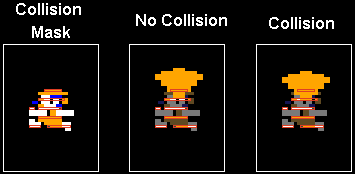
Because of this the player picks up the money bag sooner than the diamond.


Door Detection
Checking whether the player has touched a door is actually super basic. It only checks whether the player’s X and Y positions match a door’s X and Y positions.
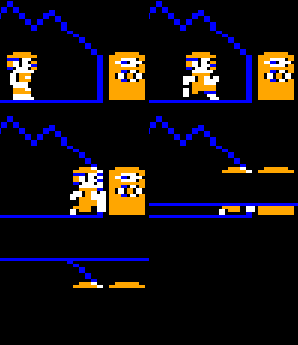
But the thing with doors is that they aren’t where they seem to be.
Doors in a level are spawned with a given X and Y position but when they’re drawn on the screen, they’re drawn offset. Doors on the left side are pushed by 8 pixels towards the left and doors on the right side are pushed 14 pixels to the right.
Here’s an animation showing where the doors appear compared to where they actually exist in the level.
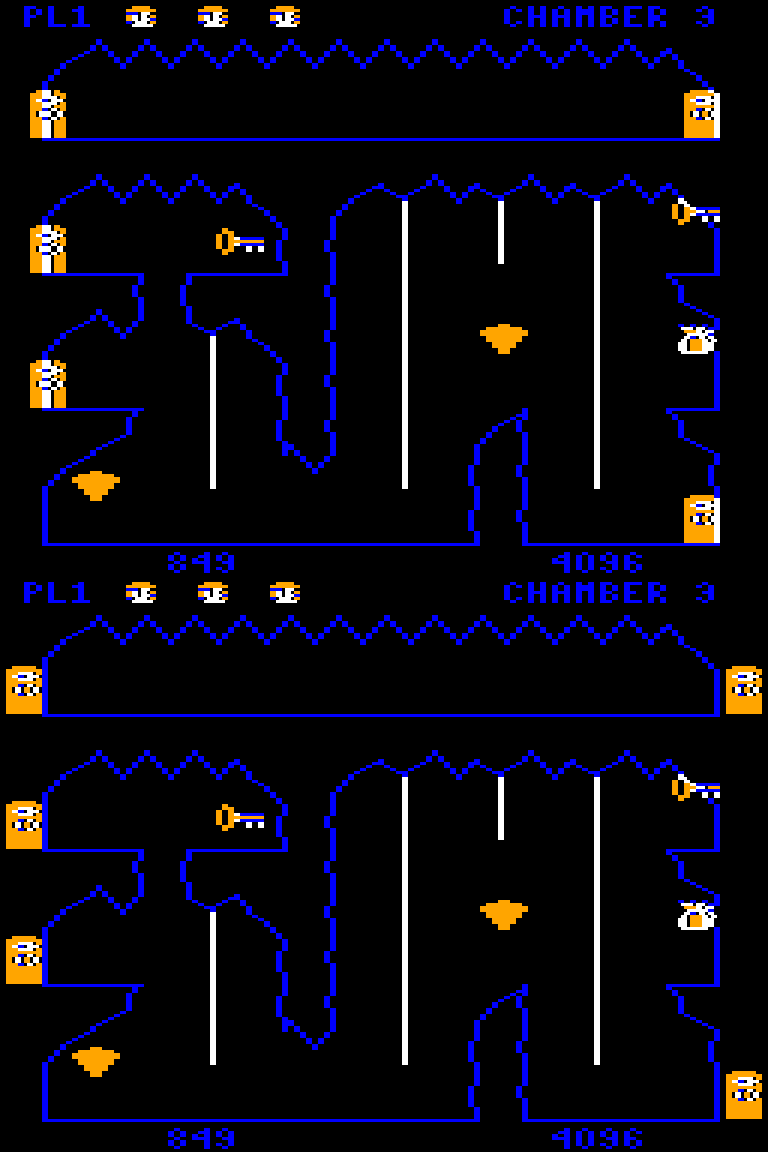
Next Time
And that’s everything about object collisions. In the next article I’ll talk about my experience porting the game to a dozen different platforms.