Tag: trs80

  • Downland Unearthed: Boulder Ball Bat Bird

    This article is part of a series exploring the reverse engineered inner workings of Downland, a game for the Tandy Color Computer, released in 1983, written by Michael Aichlmayr.

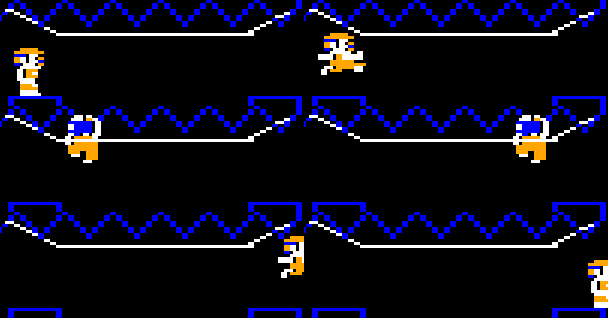
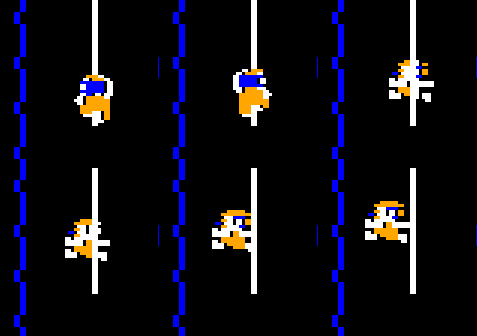
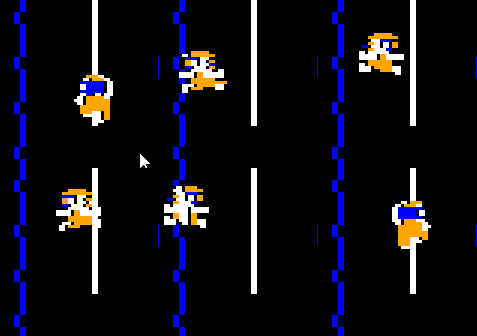
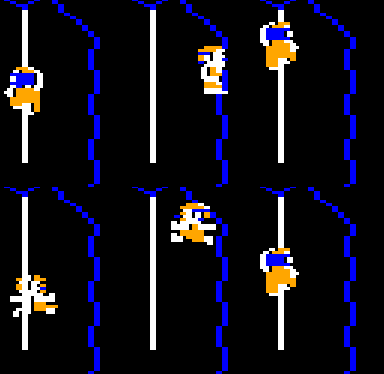
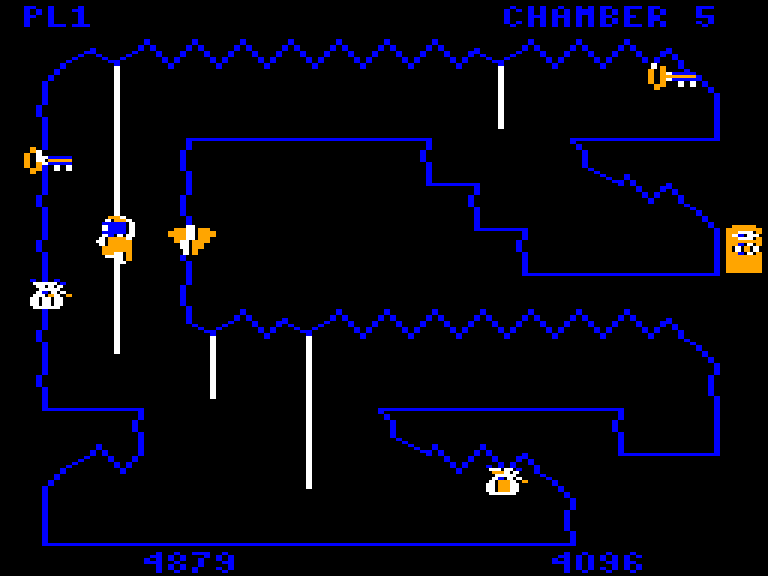
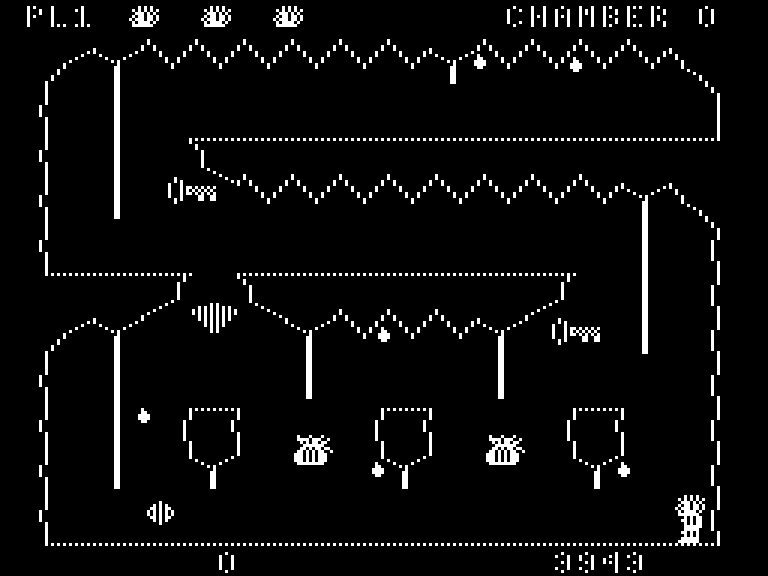
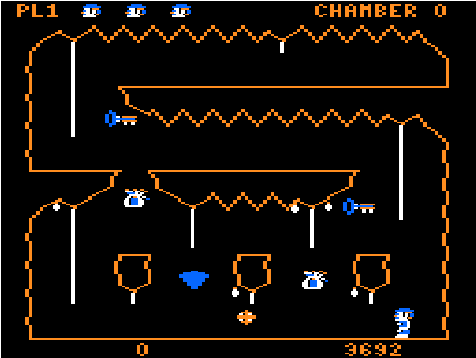
    Look at them rainbow colors! I am an artiste!

    Downland has a very barren ecosystem. Other than the unrelenting acid drops of death there are two other beings roaming and lurking in the depths of the game’s chambers: the ball and the bird.

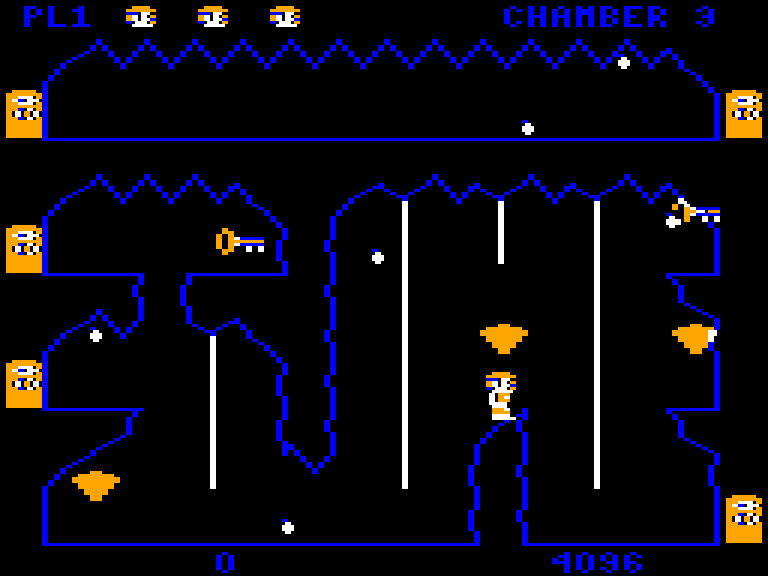
    The Ball Boulder

    In Downland the main active enemy you face other than the drops is what I call the ball, even though it’s probably a boulder. You know, a boulder that squashes and stretches when it bounces across the screen.

    I can only guess at its inspiration. Was it inspired by Indiana Jones rolling boulder scene? I thought maybe it was inspired from the bouncing springs in Donkey Kong’s elevator level, but an email from Mr. Aichlmayr’s disproves this.

    In any case, in the reverse engineered assembly code and the C version I call it the ball. It’s the name that came to most naturally to me. I told myself I can name it anything I wanted as long as it’s consistent. I could’ve named it Jennifer.

    Every Day The Same Again

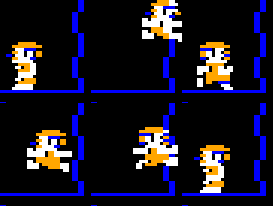
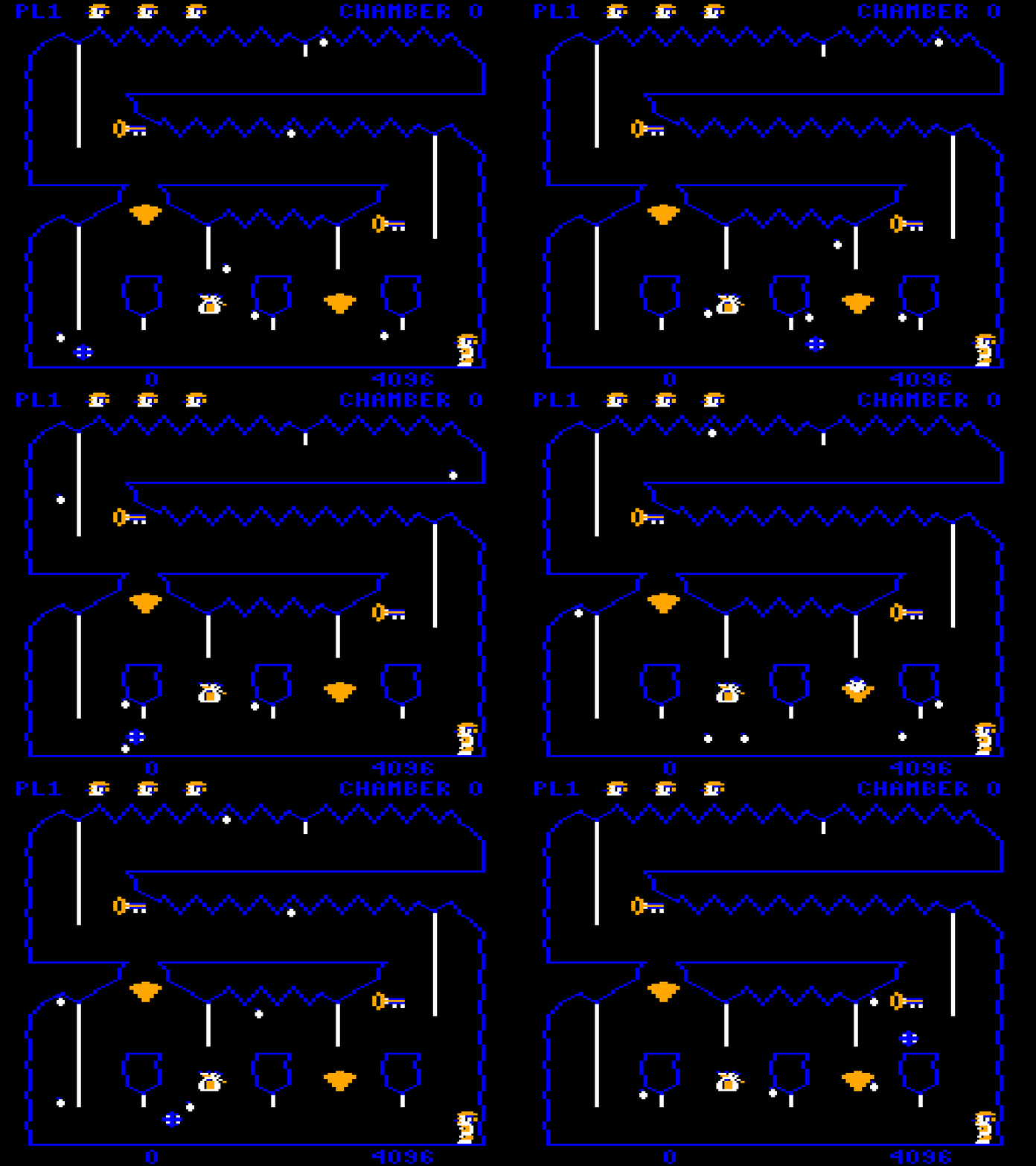
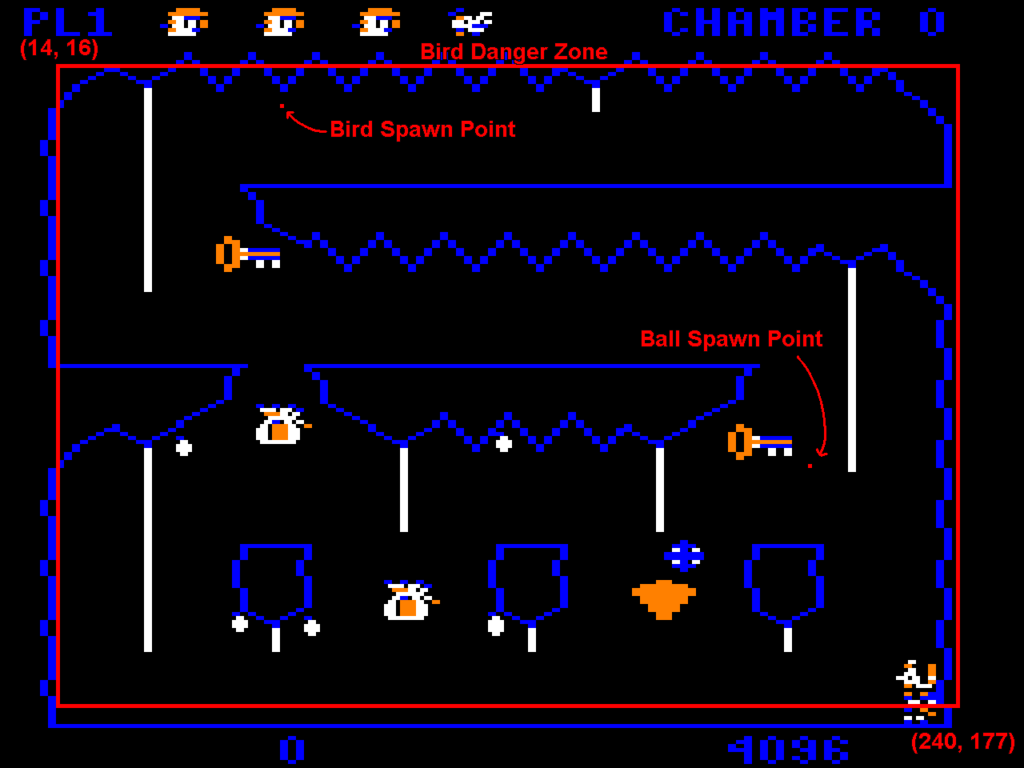
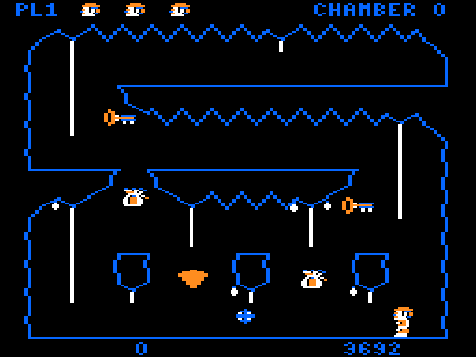
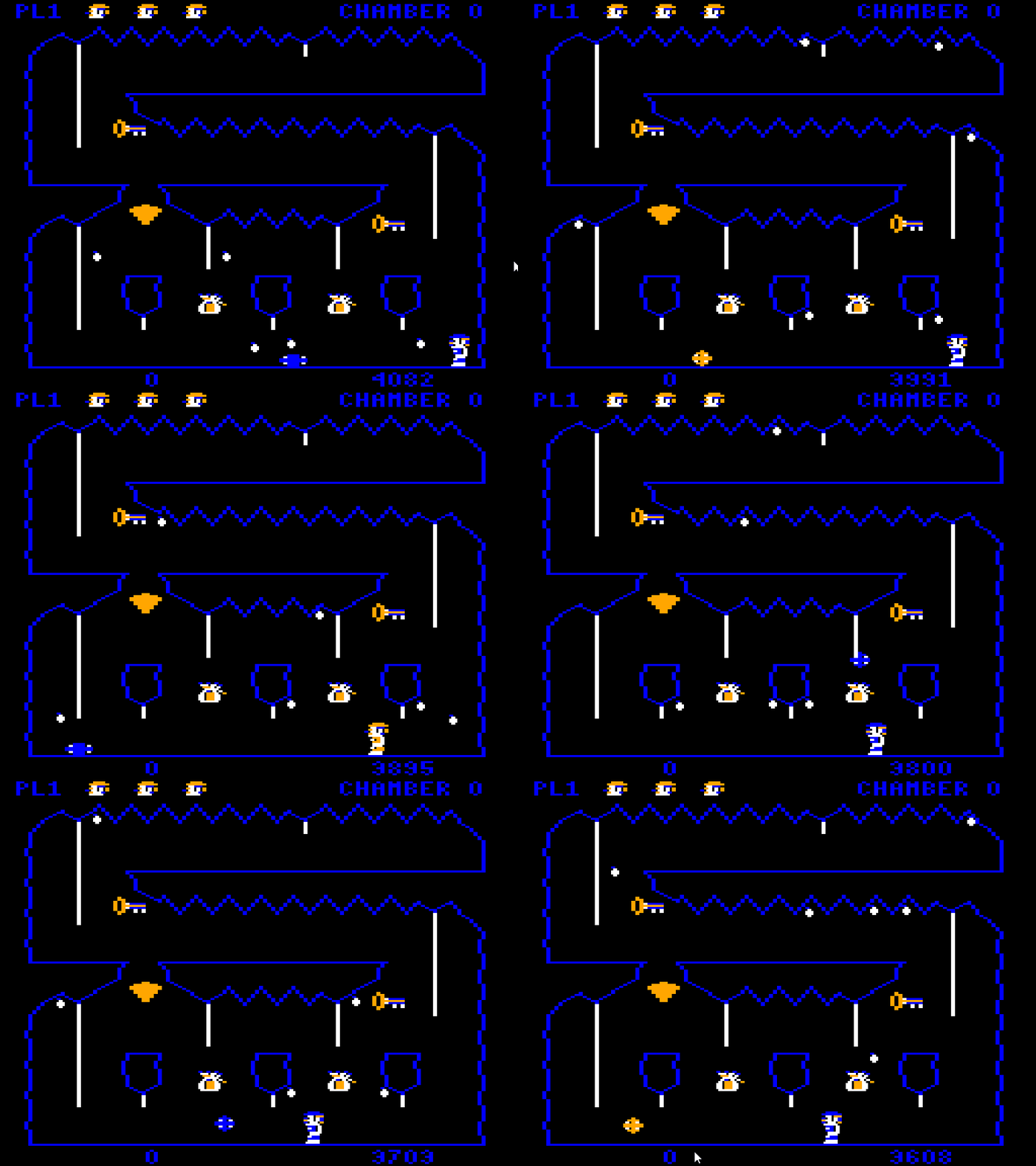
    The first thing that struck me about the ball behavior is that no matter what room it appears in, it always spawns in the exact same spot. It spawns at X=101 and Y=116 in logical game space, appearing at X=202 in screen space. I never realized this playing the game, even after all these years. Props to Mr. Aichlmayr for making the chambers’ geometry varied enough to mask that fact.

    Do The Locomotion

    The ball’s position uses 16 bit fixed point values. Eight bits are for the integer part and the other eight bits are the fractional part. The ball moves along the X axis 88 fractional units to the left. In comparison, the player moves 56 fractional units. The player is constantly getting mowed down by the ball. And even if the player manages to dodge it, its repeating nature just means they’ll only have a few seconds before it comes back.

    When the ball is falling its speed is increased by 18 fractional units every frame with a maximum speed of 256. When it hits the ground, it sticks to it for 4 frames (showing the squished animation frame), then bounces back up with a speed of -256 and a gravity of 10. When bouncing up, it counts 10 frames and then sets the vertical speed to 0, letting the falling gravity take effect again. This gives the effect of the ball falling faster than going up, squishing hard on the ground.

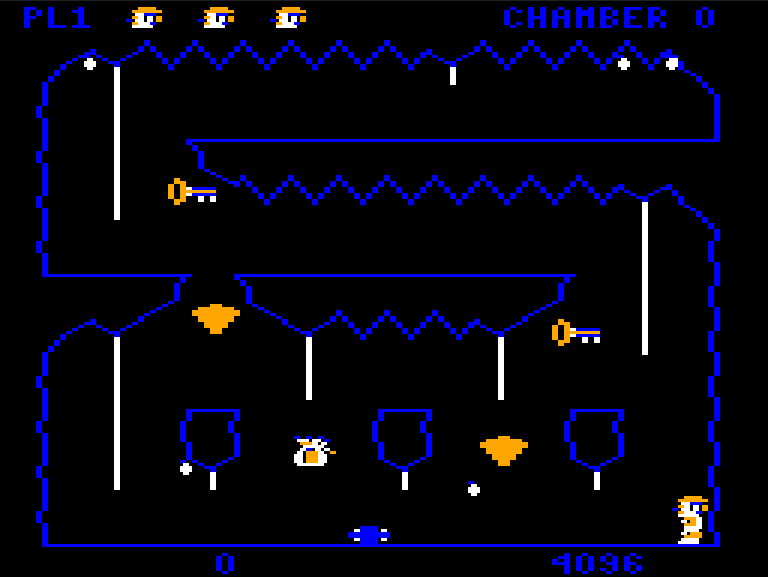
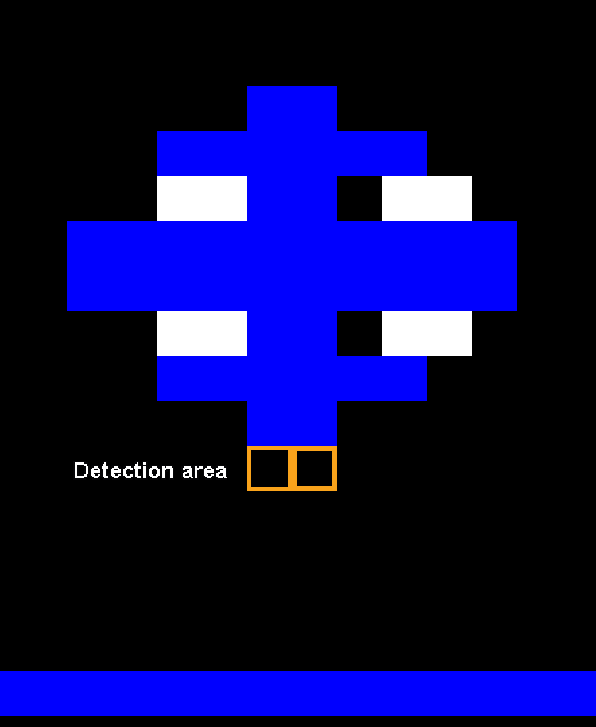
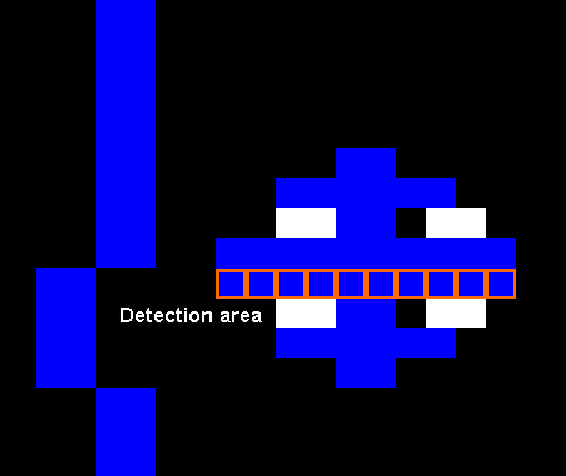
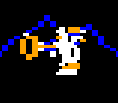
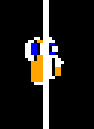
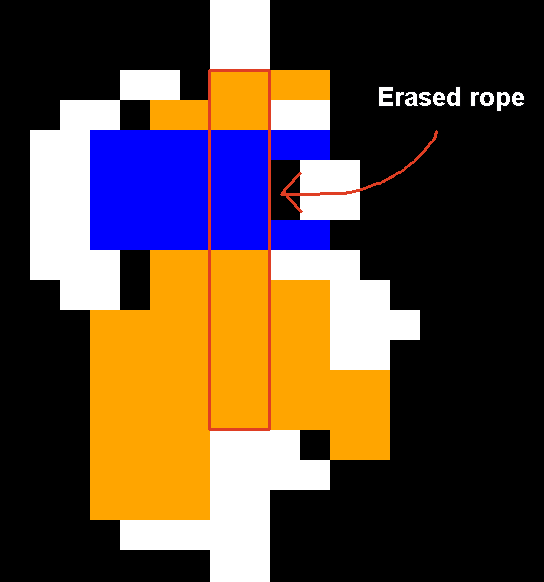
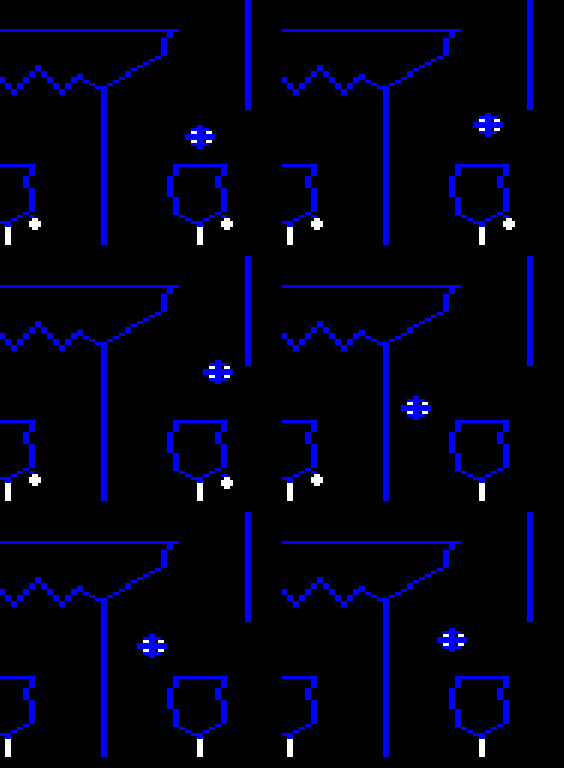
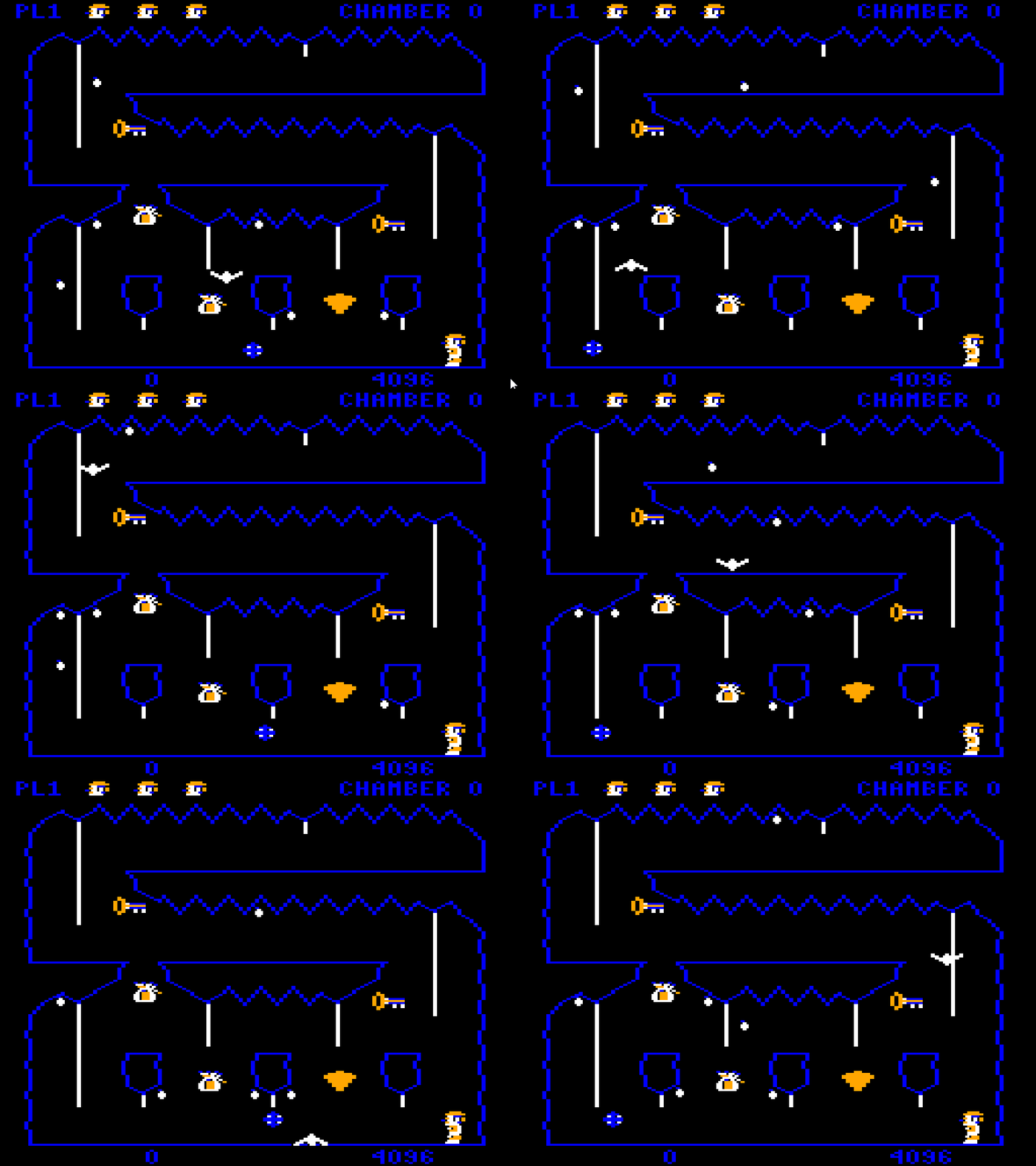
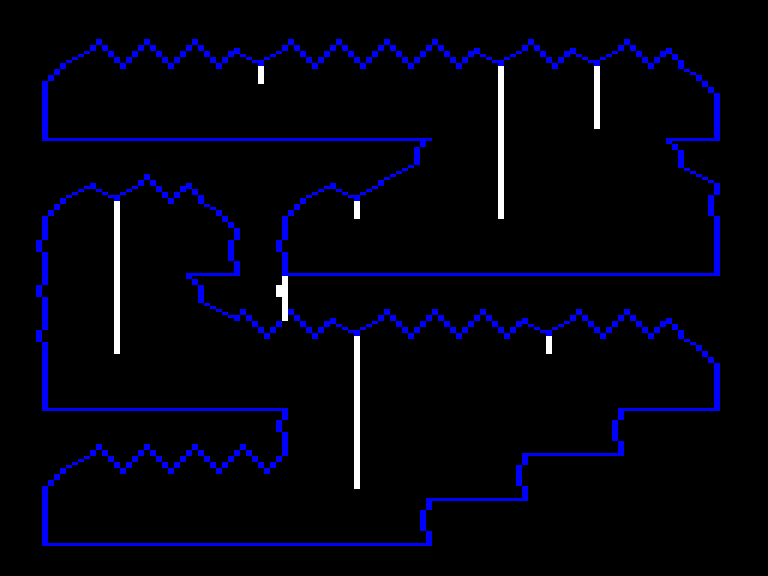
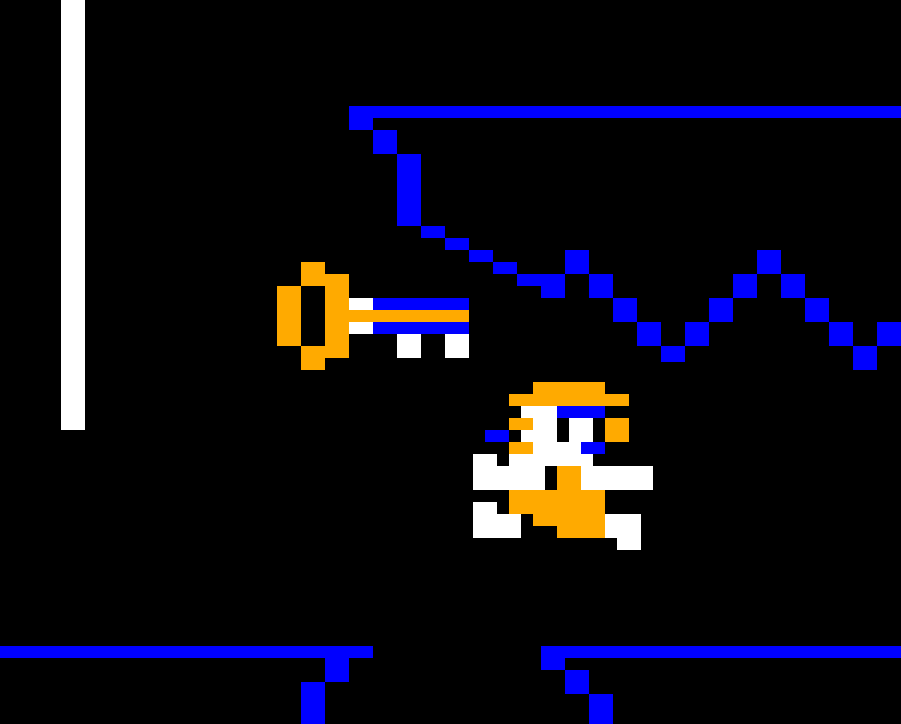
    When part of the ball overlaps a blue pixel on the background, it restarts. Here I changed the rope color to blue.

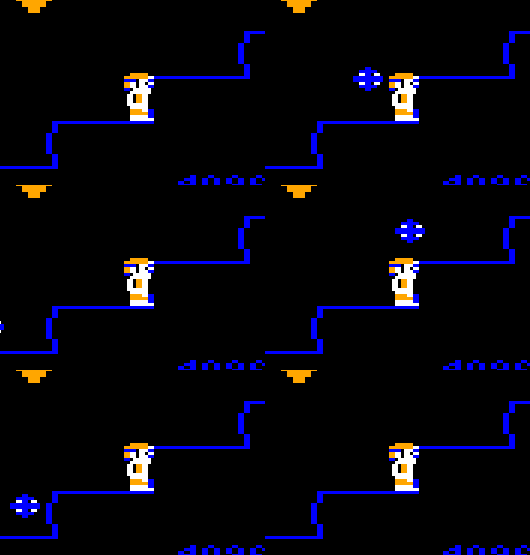
    When it collides with the terrain, the ball resets its XY position, but doesn’t reset its vertical and horizontal speeds. This has the effect of changing the ball’s trajectory as it can be in the middle of jumping up or falling down. This makes it so the player can sometimes find temporary safe spots in certain chambers, like here on the bottom stairs in chamber two:

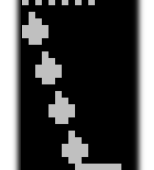
    On every other cycle, the ball bounces clear over the player, providing a brief respite.

    Room With a View Ball

    In theory the ball can be used in any chamber. The only thing that limits this is a table that specifies which chamber it appears in. The table contains these values:

    roomsWithBouncingBall[10] = 0, 2, 5, 6, 10, 11, 12, 13, 14, 0xff

    When the chamber initializes, it goes through the values of the table to find the current chamber number. If the current chamber’s number is found, then the ball is spawned. If it’s not, it reaches 0xff and skips the ball initialization.

    Cut Content?

    The most fascinating thing about the table above is the set of values 10, 11, 12, 13, 14. As the values are chamber numbers, could this be evidence of cut chambers? Did at one time the game contain five more chambers? Or are these just place holder values? We’ll likely never know. As far as I can tell, this is the only existence of unused data I’ve found in the whole ROM. It’s fun to think about what they could’ve looked like if they had existed.

    It’s a Bird, It’s a Bat. It’s Bat Bird.

    Drops are random but easily avoidable. The ball is hard to dodge but predictable. When the chamber’s timer hits zero, however, all hell breaks loose. The bouncy zigzagging winged terror of doom is unleashed. Don’t let its simple bird-like appearance fool you. If you see it and you’re not anywhere near a door, consider yourself dead in advance.

    Your worst nightmare

    Like the ball, no matter which chamber, the bird always spawns at the same spot. It starts at X=35 and Y=26. It has a base X and Y speed of 256 fractional units and then a random speed between 0 and 255 is added on each axis. That means it’ll always spawn going down and to the right but at different angles.

    Unlike the ball, the bird doesn’t try to detect the chamber’s terrain. It just flies straight in a direction until it hits an invisible wall and then reflects off. The walls are defined by a bounding box with screen coordinates (14, 16) for the top left and (240, 177) for the bottom right.

    It continues to bounce around until you change rooms or die. If you die for any reason, the bird disappears and the timer is reset to 2048, giving you a little more time to escape.

    Next Time

    With all these hazards going around, I haven’t yet explained how the game detects collisions between them and the player. I hope to cover that in the next installment.

  • Downland Unearthed: Backgrounds

    This article is part of a series exploring the reverse engineered inner workings of Downland, a game for the Tandy Color Computer, released in 1983, written by Michael Aichlmayr.

    Generating Downland’s backgrounds is easily the most complex part of the game’s code. It doesn’t store its backgrounds as tiles organized on a tile map like on a console, nor does it store the background as an image. In actuality, its backgrounds are built from a string of pre-defined shapes drawn end-to-end by a virtual plotter.

    Shapes

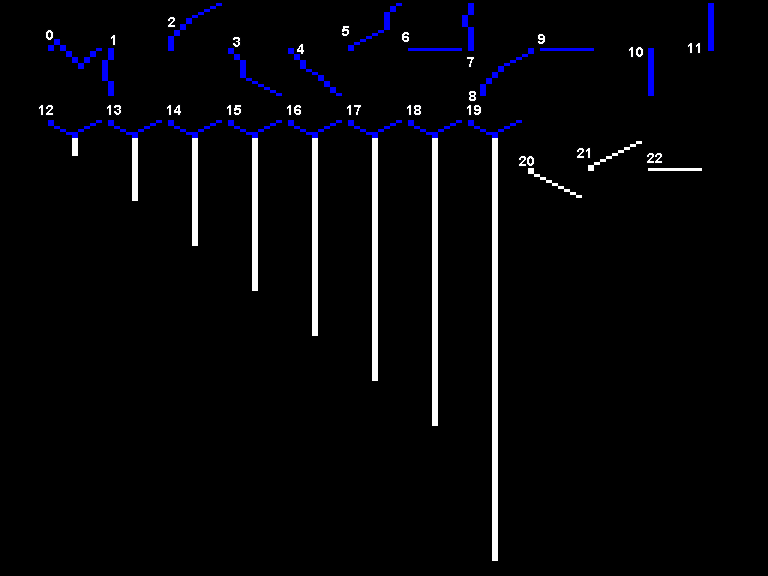
    Downland uses twenty-two different shapes to achieve its background layouts.

    Since the original assembly doesn’t have any names for the shapes, here are the names I gave them in the C version.

    Regular shapes

    0 Stalactite
    1 WallGoingDown
    2 LeftHandCornerPiece
    3 TopRightHandCornerPiece
    4 TopRightHandCornerPiece2
    5 BottomRightSideOfFloatingPlatforms
    6 FloorPieceGoingRight
    7 WallPieceGoingUp
    8 CornerPieceGoingDownLef
    9 FloorPieceGoingLeft
    10 ShortLineGoingDown
    11 ShortLineGoingUp

    Vertical ropes

    12 VeryShortRope
    13 ShortRope
    14 MidLengthRope
    15 LongRope
    16 VeryLongRope
    17 SuperLongRope
    18 ExcessivelyLongRope
    19 RediculouslyLongRope

    Horiziontal ropes

    20 Horizontal RopeStartGoingRight
    21 Horizontal RopeEndGoingRight
    22 Horizontal RopeGoingRight

    Parts & Segments

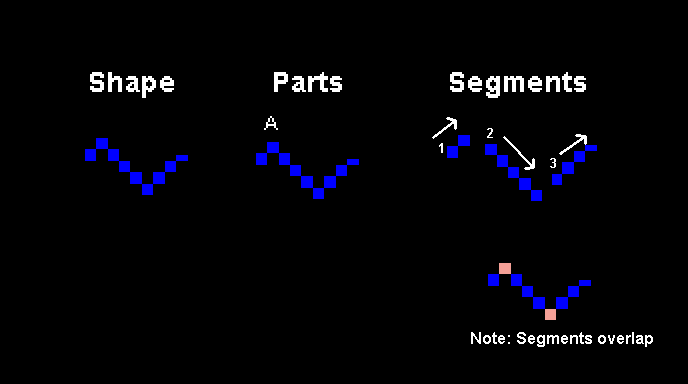
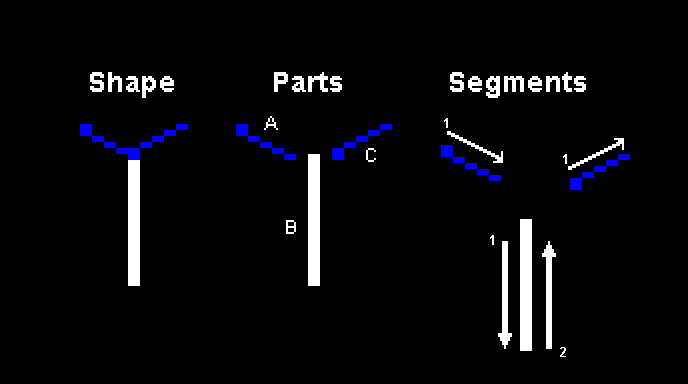
    Shapes are made up from one or more smaller parts. And each part is made up of one or more segments. Each segment is a line with a direction and length. Most shapes are made up of just one part but the ropes are made out of multiple.

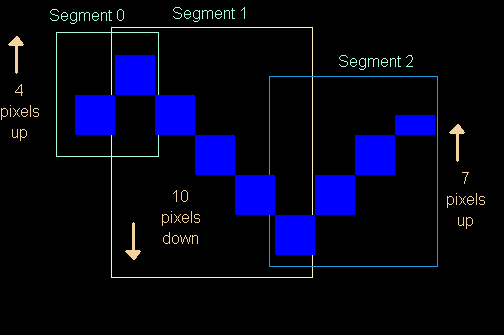
    Here is a breakdown of the Stalactite shape.

    The Stalactite is made out of one part, and that part is made out of three segments. Segments start from the previous segment’s ending position and so their start and end points overlap.

    And here is a break down of the ShortRope shape.

    The ShortRope, like all the rope shapes, is made out of three parts (A, B, C). Parts A and C are made up of one segment each while part B is made out of two.

    Harry Plotter

    The shapes are defined as a series of segments because the backgrounds are drawn using a plotter-like system. From a starting point the plotter goes through the segments of each shape, drawing into a buffer one line at a time. This is similar to how old arcade games like Asteroids and Tempest draw vectors to a CRT display.

    Plotter Colors & Hidden Links

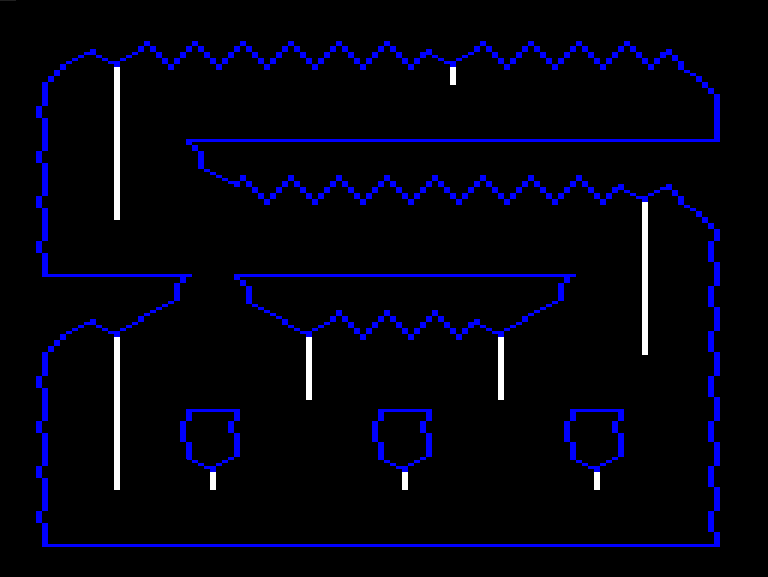
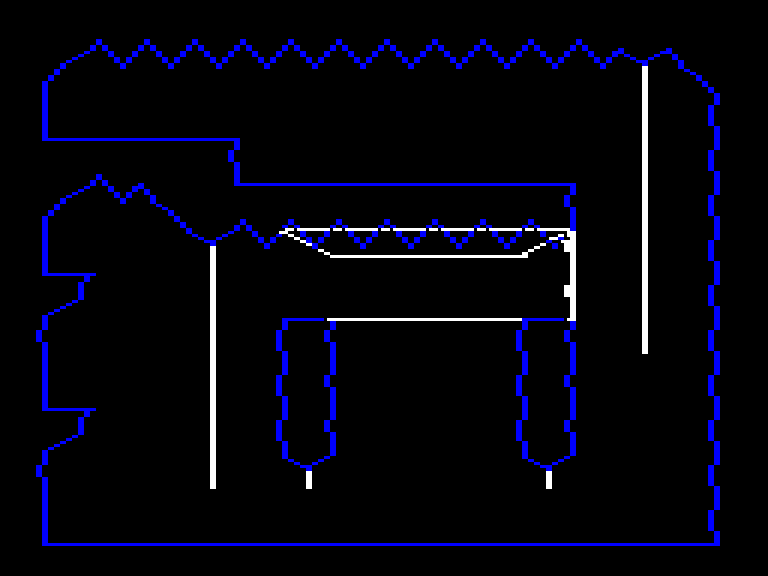
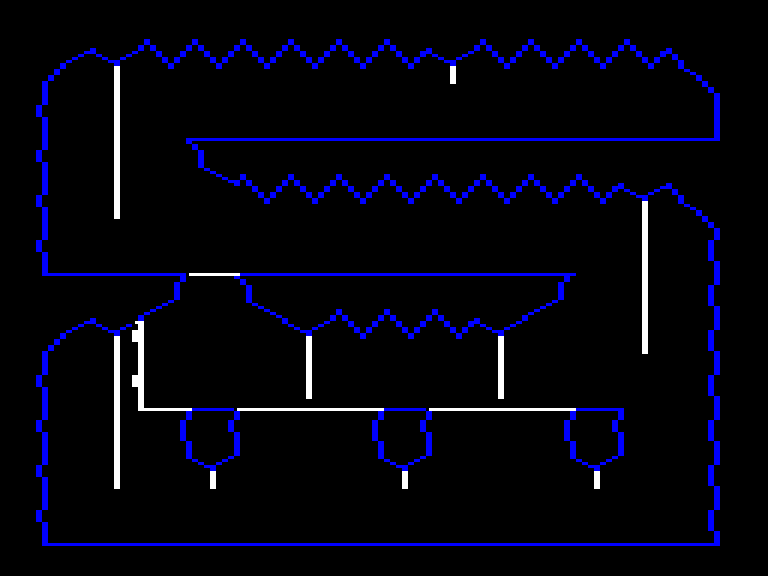
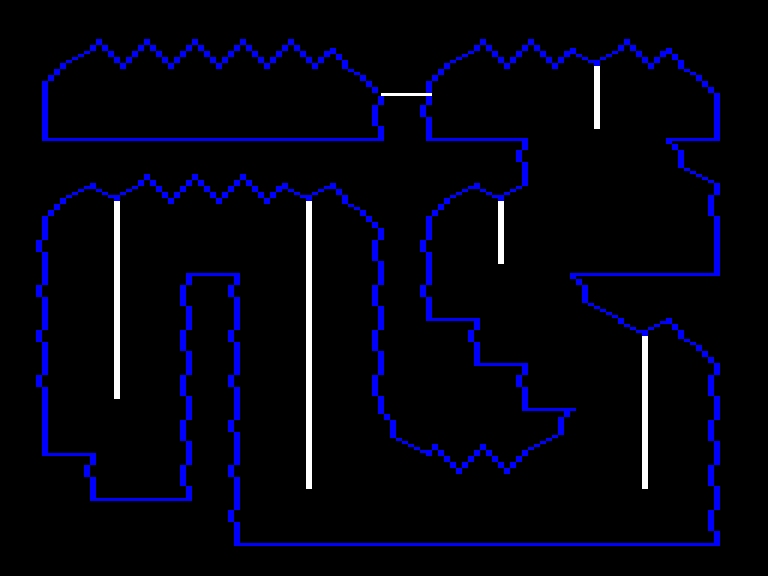
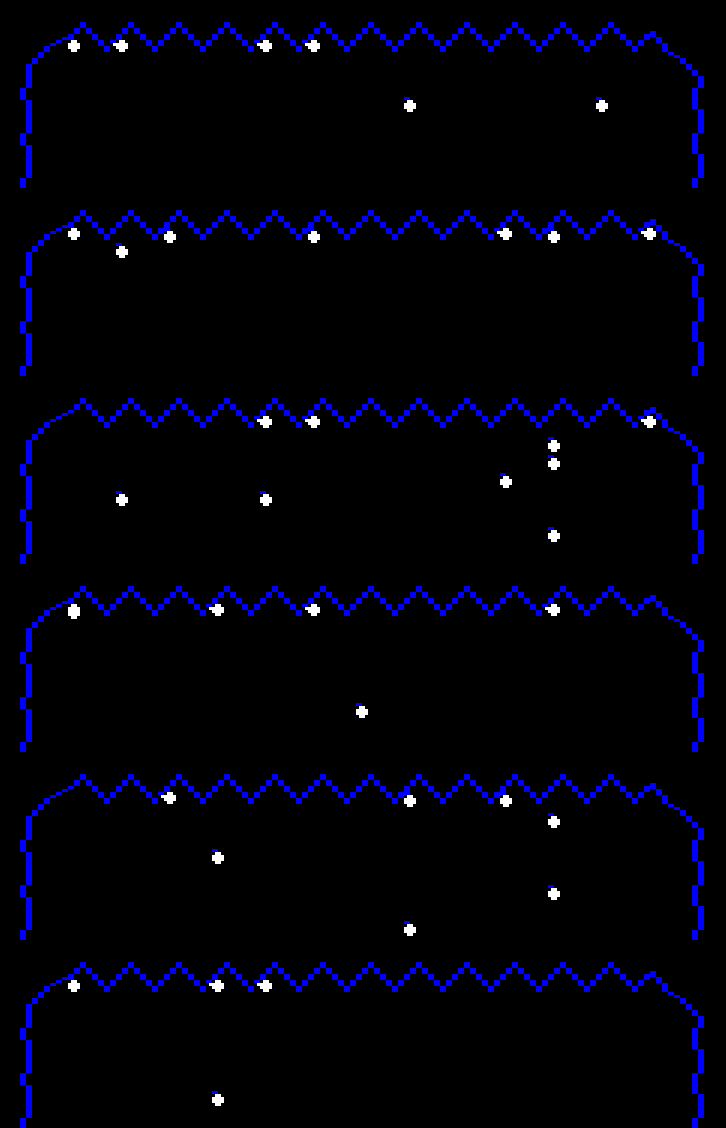
    The plotter can be configured to draw blue, white, or black lines. Black lines are used to give the illusion of floating platforms or sub-rooms. Below are images of chambers with their hidden lines revealed in white.

    Part Data

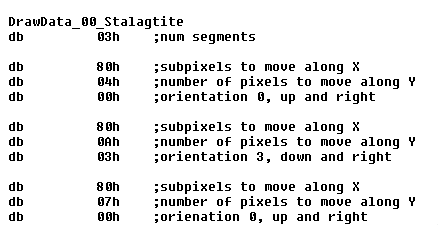
    This is what the data for the Stalactite’s one and only part looks like. Each segment is made up of movements along the X and Y axes plus an orientation. The orientation determines which is the major axis between the two.

    Shape Data

    There’s no actual data that defines a shape. Each shape has a function that instructs the plotter which parts to draw and how to draw them.

    Segment Drawing

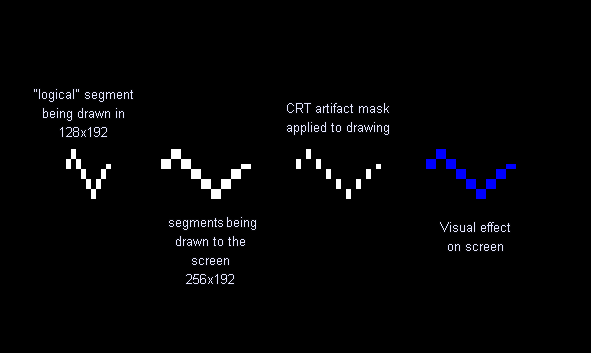
    Drawing a segment to the screen works similarly to sprite drawing wherein the data assumes a 128×192 resolution but the actual drawing is done in 256×192.

    The segment is drawn with white double-wide pixels but a CRT mask is applied on top that makes it appear blue. Ropes are drawn without the CRT mask to appear fully white. No background shapes use orange.

    Putting It All Together

    Please enjoy this video of all the chambers being drawn one shape at a time.

  • Downland Unearthed: Shifted Sprites

    This article is part of a series exploring the reverse engineered inner workings of Downland, a game for the Tandy Color Computer, released in 1983, written by Michael Aichlmayr.

    In the previous post I talked about how Downland’s 1-bit graphics are setup to take advantage of CRT artifacts to generate colors. In this article I talk about how Downland draws its sprites to the screen.

    Sprite Hardware? What Sprite Hardware?

    The Tandy Color Computer doesn’t have built-in sprite hardware like the Atari 400 or the Commodore 64, where the programmer can just set a few registers and sprites are conveniently placed on the screen. For the CoCo, drawing sprites requires directly manipulating the memory that is used for the screen.

    Screen Memory

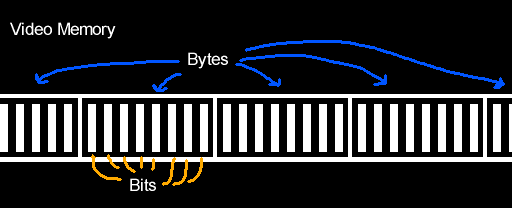
    What the player sees as graphics is represented by a specific region in the CoCo’s RAM. Turning on bits in that region of memory will activate the corresponding pixels on the screen.

    Writer’s Block

    One problem with working with Downland’s 1-bit graphics is that you can’t directly address the bit/pixel you want to turn on. 8-bit CPUs like the Tandy Color Computer’s 6809 can only write to memory one byte (eight bits) at a time at the minimum. They can’t write individual bits. So for any changes you want to make to screen memory you have to do it in bytes.

    Another limitation is you can’t write that byte anywhere. It has to be written along byte boundaries. This means you can only write a byte at every eight bits (0, 8, 16, etc). You can’t write a byte at bit 3 and expect it to change bits 3 to 10.

    Sprite Basics

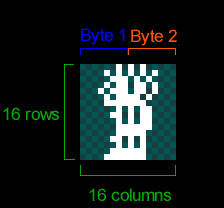
    Because the screen is 1-bit, Downland’s sprites are naturally 1-bit as well, as seen on the player sprite below. Each frame of the player sprite is 16 pixels wide and 16 pixels tall. As the graphics are 1-bit, the 16 pixels for each row of the sprite take two bytes. The first byte of each row contains the front of the player sprite while the second byte contains the back.

    8-Bit Drawing Limitations

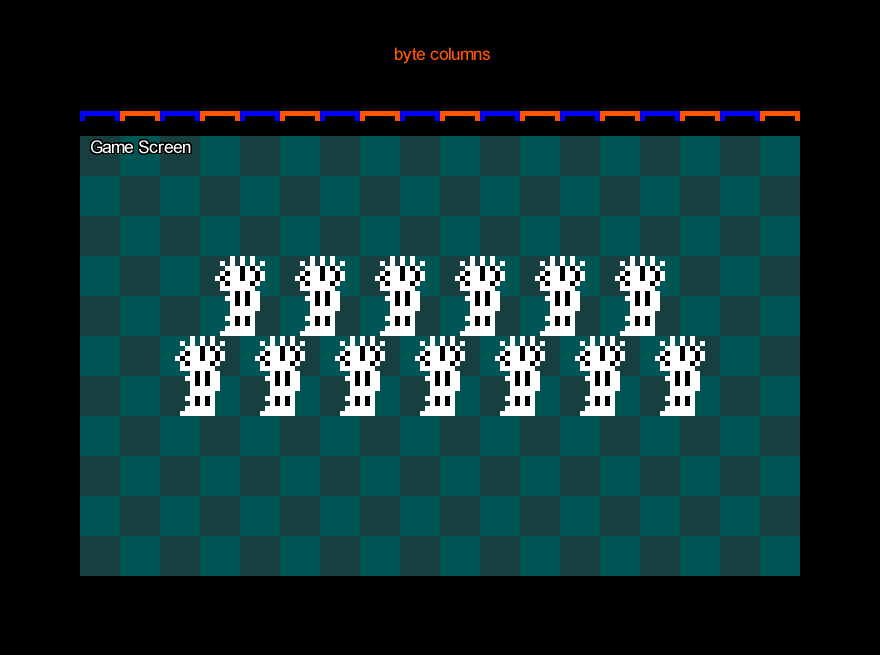
    Because the CPU can only write 8 bits at a time, if you wanted to draw the sprite as-is to the screen you could only do it on byte boundaries. The result is the sprites appear at every 8th pixel on the screen horizontally.

    Note that the sprite can be placed anywhere vertically. There’s no limit there.

    Still, this is obviously very limiting for a platforming game like Downland which has objects going across the screen.

    Shifted Sprites

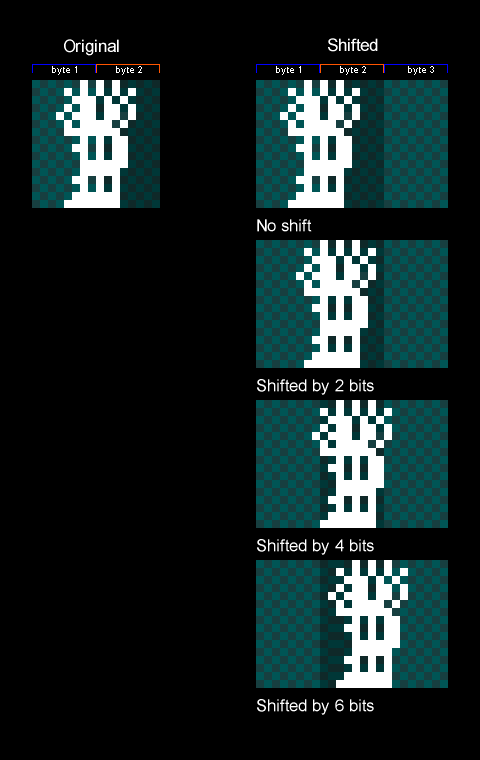
    The trick Downland uses to draw sprites along the horizontal axis is by copying the original sprite and creating new versions that are shifted to the right by a certain number of bits. These are called shifted sprites or bit-shifted sprites.

    Things to note:

    • In the game the sprites are shifted by two bits (aka pixels) instead of one because while the screen resolution is 256 pixels across, the game logic is actually half at 128. So for every X position in the game’s coordinate system, objects are drawn at twice that. Therefore it only needs shifted sprites for even-numbered positions.
    • It also shifts by two bits to maintain the CRT artifacting effect.
    • Because we only need shifted sprites for the even positions along the byte, only four shifted sprites are needed for each sprite.
    • Shifted sprites go past the second byte so they now need take up three bytes for every row.
    • There’s no version of the sprite for being shifted by 8 bits or more because at that moment you can just use the first shifted sprite again. It wraps around.

    Drawing Shifted Sprites

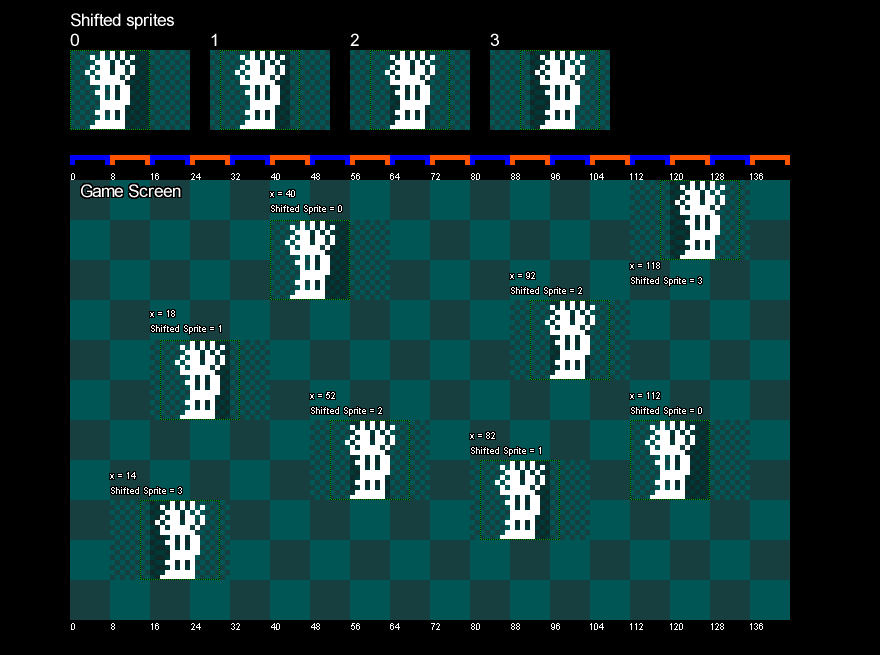
    The game uses the sprite’s X position to determine which shifted sprite to draw. The game takes the lower two bits of the object’s X position, which gives a value that goes from 0 to 3. It uses that value to look up which shifted sprite to draw. Zero uses the first shifted sprite, 1 uses the second, 2 uses the third, and 3 uses the fourth.

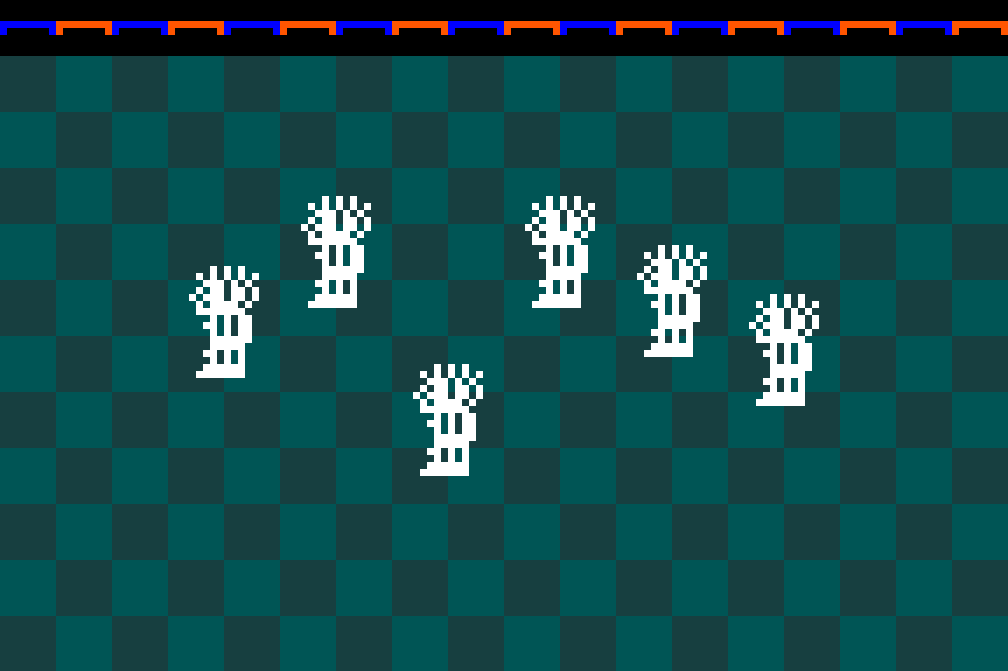
    The image below shows bit shifted sprites being drawn on screen with different X values.

    Memory Usage

    Shifted sprites are generated when the game is turned on and are stored in memory.

    As there are four shifted versions of every sprite of every object, it can take up a fair bit of memory. For example, the player’s ten frames of animation take up:

    10 frames x
    4 shifted versions x
    3 bytes per row x
    16 rows:
    1920 bytes

    With the game taking 6k bytes for the screen, and another 6k for a clean version of the background, it really starts to impact the 16k of the original Tandy Color Computer. But everything fits.

    Which Sprites?

    Shifted sprites are generated for the player, the ball, and the bird sprites. The ball and bird sprites each have two frames of animation.

    Exceptions

    The drops, the splat sprite, and the door have their own particularities when it comes to drawing them shifted.

    The drops are actually pre-shifted in the ROM, as seen here:

    Side thought: I wonder if the drops were the sprites Mr. Aichlmayr made first and then immediately realized that storing shifted versions of all the other game objects was going to take a lot of ROM space and changed strategy. Or the change in strategy came at the end of development trying to reduce the game’s final ROM size.

    For the splat sprite, it’s the only one in the game that’s 24 pixels wide.

    Unlike the other sprites above, where the shifted versions are pre-drawn, drawing the shifted splat sprite is done on the fly. When the player gets squashed the splat sprite is drawn shifted into a temporary offscreen buffer. The buffer is 32 bits (4 bytes) wide so that the shifted sprite can fit. Then the offscreen buffer containing the shifted splat sprite is drawn to the screen.

    Fun fact: the splat has a two frame animation when the player dies but there’s no second frame stored anywhere in rom. To achieve the animation, the splat sprite is first drawn to the screen and some time later the top part is erased directly from the screen’s memory.

    The door is also drawn on the fly, using the same technique as the splat sprite.

    It’s drawn when a door gets activated and also as part of the background drawing when the player enters a chamber.

    Pickups

    Finally, the game treasures (key, diamond, money bag) are the simplest drawn objects in the game. They don’t use shifted sprites at all as they’re always drawn at a multiple of 8 pixels.

    Wrapping Up

    Lacking dedicated hardware support, shifted sprites is a commonly used technique for Tandy Color Computer games to draw objects on the screen. It lets sprites to be placed anywhere on the horizontal axis at the expense of memory. Downland uses the technique in various ways to draw its game objects. In the next article, I’ll talk about how the background graphics are drawn.

  • Downland Unearthed: Ancient Artifacts

    This article is part of a series exploring the reverse engineered inner workings of Downland, a game for the Tandy Color Computer, released in 1983, written by Michael Aichlmayr.

    If you look at the game’s video memory, internally Downland is actually a 1 bit game. The graphics are effectively black and white.

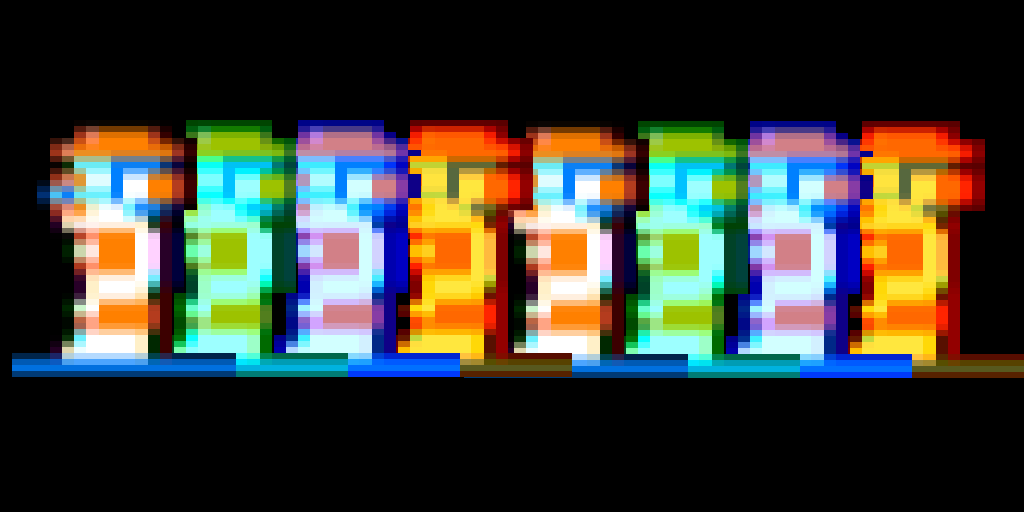
    But the game actually has color. How does that work? Notice the spacing between the pixels on the floor and the diamond. The game draws its graphics in such a way to take advantage of CRT artifacting effects. These effects helps the game simulate a limited set of colors. This was a common technique used at the time, as seen on other computers like the Apple II.

    Colors

    Because of how the NTSC television signal works, different pixel patterns determine which color will be displayed and how it blends with other colors.

    On the CoCo’s 256×192 graphics mode, each pixel is represented by a single bit. The artifacting in this mode interprets pairs of bits like so:

    • 00 will be black
    • 01 will appear blue
    • 10 will appear orange
    • 11 will be white
    • A blue pixel next to an orange pixel (01 10) will also be white

    The Tandy Color Computer also has a quirk where the blue and orange colors can be swapped when it powers on.

    (To me, the blue version is the canonical version.)

    The above is a very horribly simplified explanation of the Coco’s CRT artifacting. A much deeper dive on how all this works can be found in this great Coco Town YouTube video:

    But in practical terms, the graphics mode effectively gives a 4 color 128×192 screen.

    This “effective” resolution explains what I was saying about drop placement in the previous Downland Unearthed article. The game logic works at 128×192 while the graphics are drawn at twice the horizontal resolution. This counts for both the background and sprite drawing.

    Another way of saying it is sprites need to move horizontally every two pixels, to maintain color stability when going across the screen. Otherwise the pixel colors would cycle like a (really limited) rainbow.

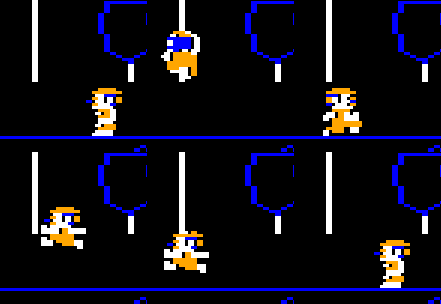
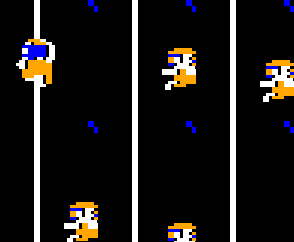
    Here’s a capture of a hacked version of Downland_C simulating the player and the ball being placed every pixel instead of every two:

    One-Bit Shapes

    What I find interesting is the way the sprites have been drawn to take advantage of the CRT artifact effect. Here’s are side-by-side comparisons of the 1-bit graphics and the color graphics. The color versions were produced using the XRoar emulator in the the 5-bit LUT Composite rendering mode.

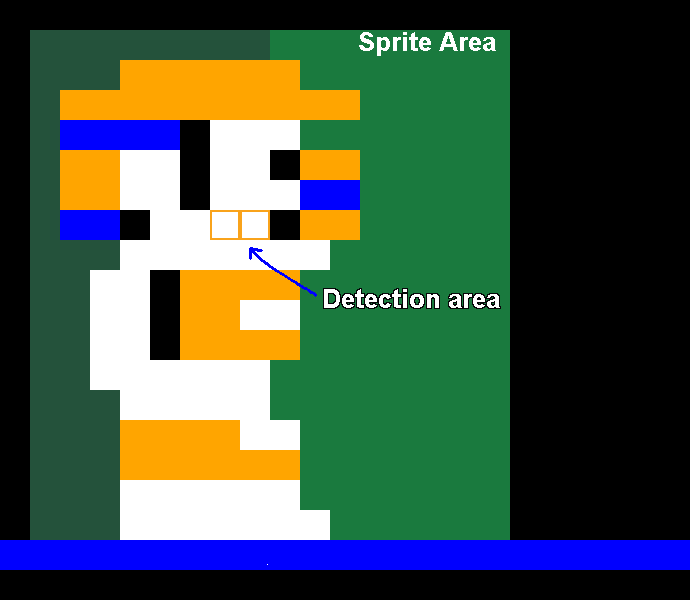
    If you stare at the player sprite too long, you start to notice that he’s got blue AND orange hair and you can’t tell what the orange and blue parts of his face are supposed to be. Is that a blue eye at the lower half of his face? He has identically sized mustache and eyebrows? Also, he has ridiculously long arms and his shirt either has a single button or he’s just showing off his nipples. It’s hard to tell as this resolution. And who knows what the white pixel under his hand is supposed to represent!

    Without color, Downland’s iconic bouncing enemy of doom is finally revealed to be just a killer walnut.

    For a diamond, it’s drawn pretty plain, isn’t it? Still, this orange upside-down triangle gives 400 points! (more or less…)

    M is for money, obviously. I like how the stray pixels add a kind of fringe around the top of the money bag.

    Dithering makes straight lines? *mind blown*

    I never know what the shapes on the doors are supposed to represent. A porthole and a wheel? Are they actually doors from a submarine? Is Downland actually set underwater?

    Rom Storage

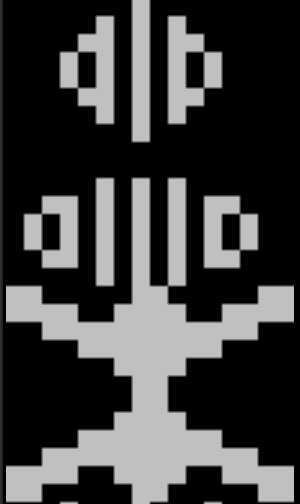
    All the sprites in the game are stored with these patterns, as seen here using a raw pixel viewer to look at the rom’s contents:

    (Notice how some of the sprites like standing left and right are perfectly mirrored but some, like the jump, aren’t.)

    The one exception to this is the game’s font. It’s stored without effects. I couldn’t get the viewer to align the characters perfectly, but you can see that they’re made up of solid pixels.

    Each character is 8 bits wide and 7 rows tall. The character drawing function draws each row while applying (and’ing) a bitmask (01010101) on top to turn off every other bit. This causes the character to appear blue.

    I wonder why the mask wasn’t pre-applied. The game could’ve saved a few cycles when updating the timer and score to the screen. Maybe the author wanted to keep the font pristine for easy edits, not minding the performance hit. Or maybe he started with white text and then changed his mind.

    Half The Battle

    So that’s how Downland takes advantage of CRT artifacts to generate its graphics. One obvious unanswered question is how the graphics are actually drawn on screen. The graphics are 1-bit per pixel but writing to memory is done eight bits at a time as a byte. I hope to explain how Downland draws it sprites in the future.

  • Downland Unearthed: Drop It Like It’s Hot

    This article is part of a series exploring the reverse engineered inner workings of Downland, a game for the Tandy Color Computer, released in 1983, written by Michael Aichlmayr.

    Acid drops. If you die in Downland, chances are it’s because of one of these falling bastards.

    Never mind the ball with its repetitive and predictable path across the screen. These white liquid drops of death are random, fast, and relentless.

    Drop in a Bucket Chamber

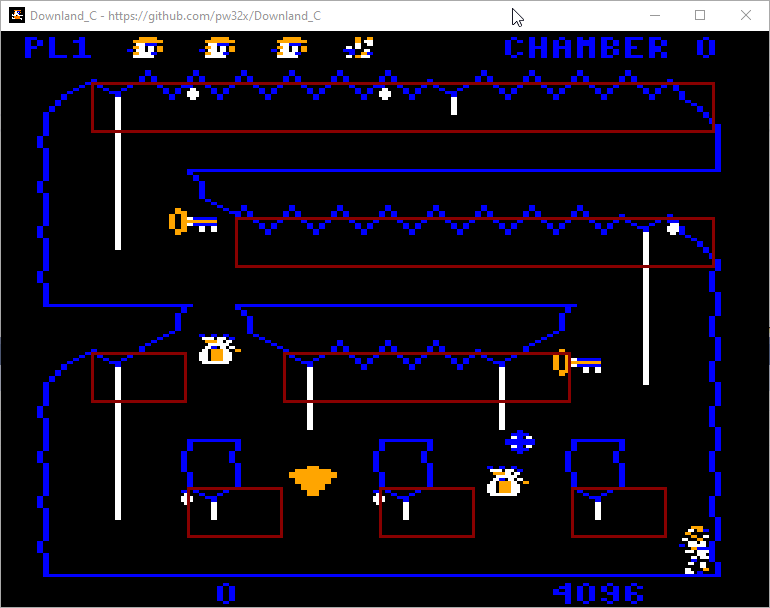
    For each chamber, the game data defines a number of drop spawn areas. Each drop spawn area is defined by an X and Y position, plus the number of drop points it has across the area. In the first chamber seen in the image below, there are seven drop spawn areas (boxes in red):

    The first drop spawn area has thirteen points across it to spawn points from (marked in green).

    A curious note is that in the game data the number of spawn areas and the number of drops to spawn per area is one less than it should be. So for the first chamber, the number of spawn areas is stored as 6 (not 7) and the number of drops in the first spawn area is stored as 12 (not 13). I don’t know what the advantage of this would be, if any.

    Placing Drops

    Some important background: The game’s world size is 128 by 192 points. The horizontal coordinate system goes from 0 to 127. The graphics mode that the game uses is PMODE4, which is 256 by 192 pixels. That means a point on the horizontal axis corresponds to two pixels on screen. Placing an object at the horizontal position 64 means they’ll appear at pixel 128 in the middle of the screen.

    When the game wants to spawn a drop, it first picks randomly a drop spawn area. Then it picks a number between 0 and the number of drop points for that area. The drop is given a location that is starts from the drop spawn area’s XY position and then offset to the right by the the drop point chosen multiplied by eight.

    So like this:

    dropSpawnArea = pickRandomDropArea();
    randomDropPoint = rand() % (dropSpawnArea->dropSpawnPointsCount + 1)
    newDrop->x = dropSpawnArea->X + (randomDropPoint * 8)
    newDrop->y = dropSpawnArea->Y

    That’s generally the way it works, but there are two exceptions.

    The first exception is about giving room to the player. Look at the left side of the top most drop spawn area in the image above. Notice that the drop is actually offset to the left of the box where its supposed to spawn?

    Enhance!

    That’s because the game tries to detect whether there’s a rope nearby. It checks four points to the right and six points down. If a rope is detected, the drop is offset to the left. This gives enough room around the rope to let the player climb up without being burned to death.

    The second exception is about removing that room from the player and increasing the chances of them climbing up and getting burned to death. What Downland giveth, Downland taketh away. But why?

    In the drop spawning code there is a part that says that if ever the player has completed the game three times in a row (which we must all admit is some kind of superhuman feat) the X position of the drop is made even. As the positions of the drop spawn areas are on odd positions, it effectively moves all the drops one position to the left, which corresponds to two pixels in that direction. In the image below, the small bright red boxes are the ones that have been affected by that rule.

    This makes it so that the drops on the right side of the vine will always touch and kill the player, forcing them do perform rope acrobatics when climbing. This makes the game pretty much impossible to play, because drops fall on both sides of the rope simultaneously very often. Well, maybe it’s not impossible but the chances are definitely not in your favor if ever you manage to get to that point.

    Wiggle, Wiggle, Wiggle

    When a drop is finally placed and spawned, it hangs on the ceiling for 40 frames. As it does so, the game flips its vertical speed up and down every frame so that it wiggles. There were rumors that the wiggle time was random, but it’s not. Because of how drops can be spawned over other drops it might give an effect that it’s wiggling longer.

    Gravity? What Gravity?

    Drops fall at a steady rate. They go down two points per every update (but not every frame! see below). No fancy physics calculations here!

    Yeah, But… How Many?

    The maximum number of active drops is ten. But the actual number of drops spawned depends on the chamber number and whether you’ve completed the game at least once.

    The rules that determines the number of active drops in a chamber are:

    • If the chamber number is 5 or less, then the maximum number of drops is 6.
    • If the chamber number is greater than 5, then the maximum number of drops is chamber number plus one.
    • After completing the game once, the maximum number of ten drops is used for all chambers.

    The maximum number of drops is also used for the title screen and the “get ready” screen. On those screens, the game lies to the drops system that the game has been completed so that it spawns all the drops. Also on those screens the game doesn’t actually wait for vblank so it just draws the drops as fast as possible.

    Half The Work In Half The Time

    Not all the drops are updated on every frame. The drops system only updates five drops at a time, alternating between the odd numbered and even numbered drops. This partial update means there’s more time left over for other parts of the game’s logic to be processed.

    Waitaminute, You Forgot a Section!

    So that’s the drops system in a nutshell. What I haven’t talked about is how the game handles the drop collisions with terrain and with the player. And also the drawing routines. I want to cover those topics more in-depth in later posts.

  • Downland Unearthed: Pick Ups and Scoring

    This article is part of a series exploring the reverse engineered inner workings of Downland, a game for the Tandy Color Computer, released in 1983, written by Michael Aichlmayr.

    Every room in Downland has five “pickups”, which are treasures that the player can collect for points or to unlock doors. At game start up, the list of pickups per room is generated. The first two items in a room’s list of five are keys that open doors. There’s a data table that determines which key opens which door. When the player completes the game once, the data table is switched to another one with different key-door mappings. I marked it as the “hard mode” version but I don’t know if it’s actually more difficult. The last three items per room are treasures, randomly chosen between the money bag and the diamond.

    Fun fact: I only realized last week when looking at a speed run on YouTube that you don’t need to collect all the keys to finish the game. Maybe one day I’ll use that information to become the Downland speed running champion.

    Each type of pickup has a base score:

    • Key: 200 points
    • Money bag: 300 points
    • Diamond: 400 points

    When the player collects them, the game gives the player the base score and an additional random amount between 0 and 127. The random number is taken from a counter that runs through the cartridge rom area from addresses 0xc000 to 0xdf5a. It takes the value at the current address and gets the first seven bits. Other processes advance the counter so it’s reasonably random. Random-ish.

    The randomness of the pickups generated and the score added makes it so that getting a high score is partially outside of the player’s control. I’m still unsure if this is was a good idea. A great run could wind up with a bad score, which would be disappointing. I don’t know what I’d replace it with, though!

  • Reverse Engineering Downland, The Tandy Color Computer Game from 1983

    This article is part of a series exploring the reverse engineered inner workings of Downland, a game for the Tandy Color Computer, released in 1983, written by Michael Aichlmayr.

    Late last year I started one of those projects I always wanted to do but could never find the time or couldn’t start it successfully. I reverse engineered Downland for the Tandy Color Computer, released in 1983.

    Downland was one of those formative games for me. My best friend had a CoCo 2 with a copy of the game and we spent hours trying to beat it. But man, that game is hard.

    The player jump physics are game’s best and aggravating aspect. They were the most fluid I had ever seen. But man, no air control whatsoever. When you leaped, you were committed all the way, like in Castlevania for the NES. The jump was floaty enough that there was enough time for a drop to appear ahead and fall on top of you just when you landed. Those drops are the worst.

    It was my third or fourth attempt at RE’ing the game. I forget. For these first attempts I had used MAME’s debugger to run through the code and memory variables. I’d try to track memory changes and figure out what they did. And of course I had to learn how to read 6809 assembly code. (hint: I am not an assembly code guy)

    At the time I could figure out some of the player state and the section of memory that tracked the drop state. But this method was too slow going for me. The MAME debugger was too cumbersome to use. I’d give up after a week or two. With just the MAME debugger and a text file, reverse engineering this way was like trying to figure out the layout of a blacked out mansion while walking around holding a match.

    This time was successful because I decided to learn Ghidra (https://github.com/NationalSecurityAgency/ghidra). It helped a lot with making sense out the code and rom layout, and figuring out the data formats. I also used the trs80gp emulator (http://48k.ca/trs80gp.html) which has great debugging capabilities. The pair of tools really opened everything up and in very little time with these new found powers I managed to eclipse the little knowledge I had gained in the past doing things manually. I soon started learning things about the game that only the original author had ever seen. Finally being able to unlock secrets of this 40 year old game gave me such a wonderful feeling.

    I forget the timeline but I think it took me over two months, maybe three, to get the disassembly in a state where I could make sense of how most of everything worked. Enough to be able to start figuring out how to convert it to the C programming language. At the same time I created a tool to convert the Ghidra listing to a buildable assembly file for LWTools (https://www.lwtools.ca/), with which I could build a byte-for-byte reproduction of the original Version 1.1 rom.

    After the initial two months I kept updating the disassembly during the year the more I had to get into the details during the conversion to C. Some corners of the disassembly could use a bit more documentation but what’s there I believe is very usable.

    The work can be found on GitHub at https://github.com/pw32x/Downland_RE

    Maybe in the future if I’m not too lazy I’ll talk about more in detail.